
The Ultimate ComfyUI Hack: Run Heavy Video Models Like Seedream & Vidu with Zero VRAM


If you are a ComfyUI power user, you know the struggle: you find an incredible new video generation model, only to realize it requires 24GB+ of VRAM to run locally. Or worse, the model is closed-source and doesn't have a native node yet.
This is the bottleneck that kills creativity. But what if you could run the world’s heaviest, most advanced models directly inside your local ComfyUI workflow—without upgrading your GPU?
Enter Siray-ComfyUI, the custom node that bridges your local setup with 300+ global AI models via a single API.

Why Local Inference Isn't Always the Answer
While running models locally is the core philosophy of ComfyUI, it hits a wall when you want to experiment with the latest video generation tools like Seedream, Seedance, or Vidu. These models are computationally expensive and often require complex environment setups.
The Siray custom node solves this by offloading the heavy lifting to the cloud. Here is why switching to an API-based workflow for specific tasks is a game-changer:
1. Save Your VRAM for What Matters
Running a complex workflow often means juggling ControlNets, Upscalers, and LLMs. Adding a heavy video generator like Flux (at high precision) or Nanobanana can crash your system instantly. By routing these specific generation steps through Siray, you free up your local GPU resources for the rest of your workflow, ensuring smooth, crash-free performance.
2. Access Exclusive & Closed-Source Models
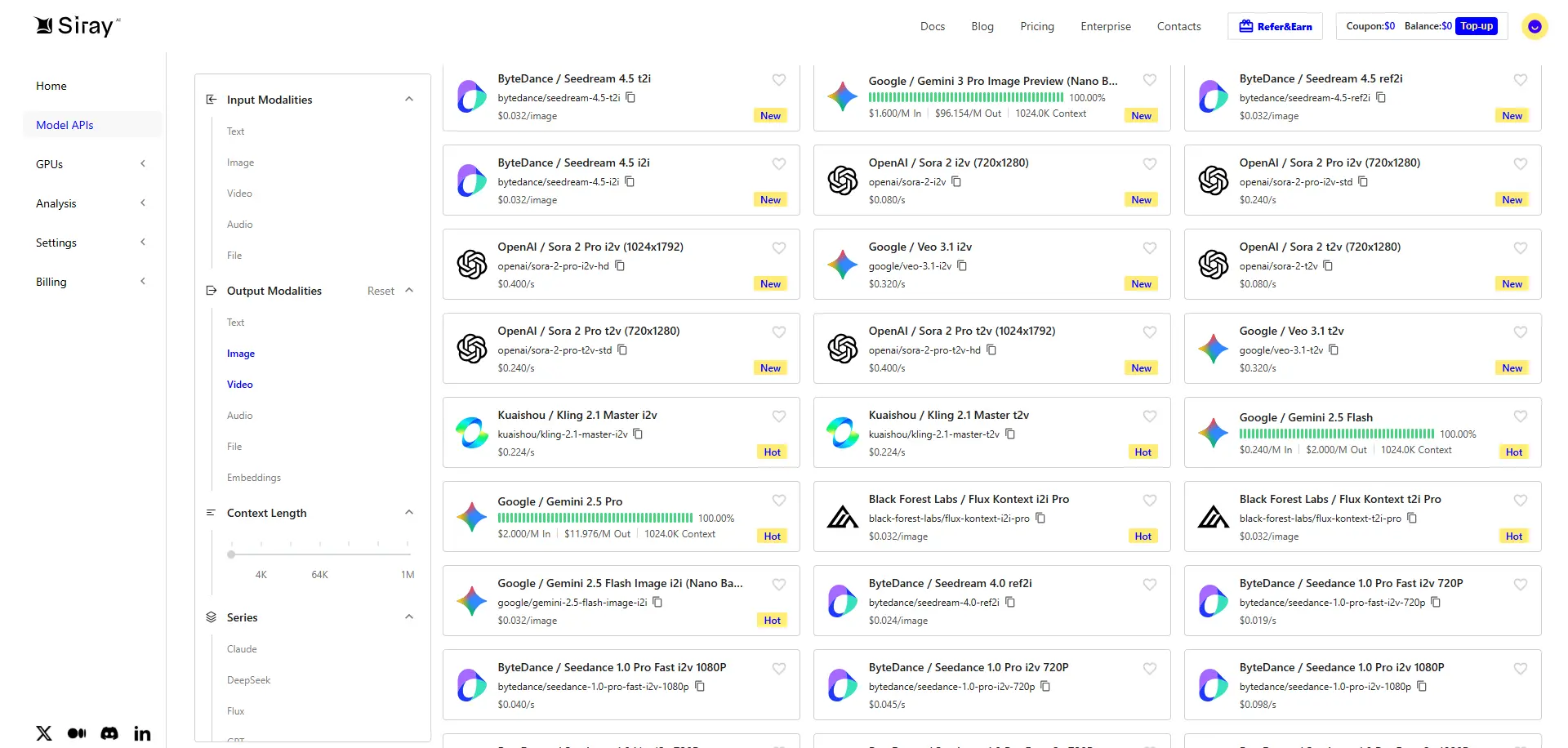
Many top-tier video models don't release weights for local use immediately. Siray connects you to these APIs instantly. With one node, you gain immediate access to:
- Seedream: For surreal, high-fidelity video generation.
- Vidu: Known for its temporal consistency in video clips.
- Nanobanana: Excellent for stylized motion generation.
- Seedance: Perfect for choreographing motion-specific video.
3. Cost-Effective Scaling
You might think APIs are expensive, but Siray’s intelligent routing actually makes it cheaper. Our enterprise-grade routing optimizes costs, offering prices that are often up to 70% cheaper than official providers. You pay only for what you generate, avoiding the thousands of dollars needed for high-end hardware.
Use Case: Creating a Music Video with Mixed Models
Let’s look at a practical workflow. Imagine you are creating a 15-second music visualizer.
The Old Way: You try to load a video model locally. Your UI lags. You render one frame every 30 seconds. You can't use other applications while it renders.
The Siray Way:
- Scene Setup: You use your local Stable Diffusion checkpoints to generate keyframes (using your local GPU).
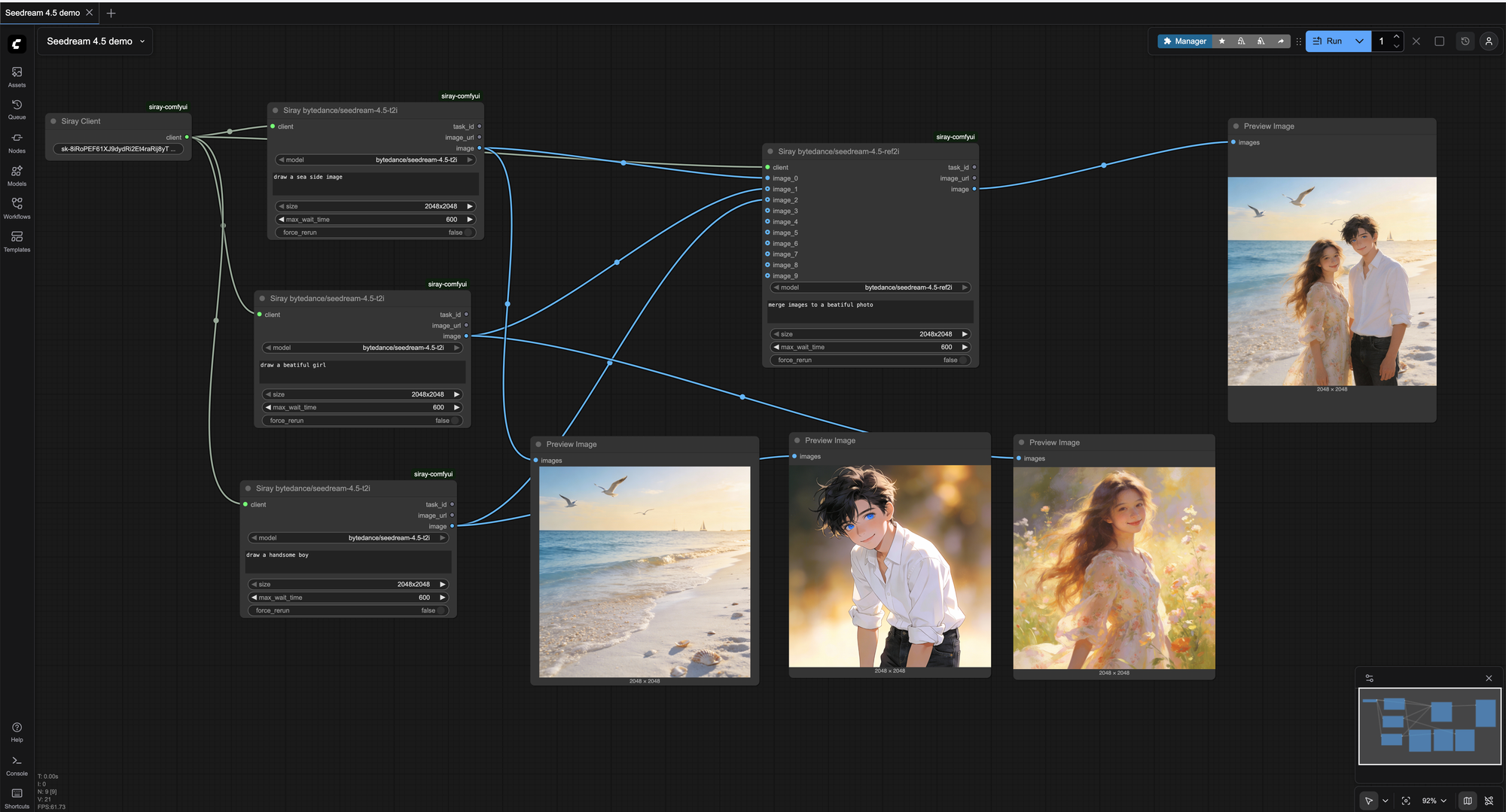
- Motion Generation: You pipe those images into the Siray Node, selecting Seedance to animate the characters based on the audio beat.
- Refinement: You run the output through Flux via Siray for high-quality upscaling and detail refinement.
The result? A professional workflow that combines the control of local ComfyUI with the raw power of cloud-based Seedream and Vidu models.
How to Get Started
Getting started is incredibly simple. We are now listed in the ComfyUI Manager!
- Install: Open ComfyUI Manager, search for
siray-comfyui, and click Install. - Get Key: Sign up at Siray.AI to get your API key (New users get free credits to test models like Veo3 and Seedream!).
- Generate: Load the node, paste your key, and select your model from the dropdown.
Ready to break your hardware limits?
Download the node directly from our GitHub:https://github.com/siray-ai/siray-comfyui
Stop worrying about VRAM and start creating with the best models in the world, right inside ComfyUI.