
Nano Banana 2.1 Gift Guides: Compose Images, Then Layout

A gift guide needs a collection that reads together, not a collection of unrelated pictures. For a planned Nano Banana 2.1 workflow, define the layout first, prepare each product image separately, then assemble the page in an editor. That keeps selection, composition and lettering as separate decisions.
Coming soon: Siray's team says Nano Banana 2.1 is scheduled to join the platform shortly. The workflow below is a creative preparation guide, not a tested demonstration of the model's capabilities.
Key TakeawaysPick one reader and occasion before choosing products; each item needs a reason to belong.Give individual images a shared framing and lighting brief, then inspect their actual consistency.Assemble typography and layout outside the generation step. Check product truth separately from visual cohesion; an attractive concept is not proof of what a real item looks like.
Who Is the Guide For?
Choose a reader and an occasion before choosing a visual style. “Gifts for someone setting up a home coffee corner” gives every item a job. A mug supports the daily routine; a tray organizes the surface; a notebook holds tasting notes. The theme explains the selection rather than merely decorating it.
Write a reason for including each item. If two products fill the same role, either explain the distinction or remove one. This editorial pass can happen before Nano Banana 2.1 arrives. It doesn't depend on an image generator understanding the intended audience.
What Should the Images Have in Common?
Start with the container: decide whether the guide is a vertical post, a horizontal article image or a set of individual cards. Choose the same image area and caption position for supporting items. Give the featured item more room deliberately, rather than letting whichever picture has the busiest background dominate.
A shared visual brief can specify the background family, viewing angle, light direction and empty space. These are editorial targets, not settings that promise consistent output. Review the selected images together; individually acceptable pictures may still disagree about perspective or lighting.
Use decorative props sparingly. If the mug is the subject, a plant that occupies most of its tile is competing with the recommendation. Keep festive details secondary so the guide still works when viewed as a small thumbnail.
Prepare One Product Brief at a Time
Give each image a single subject and a clear job. Avoid asking the first attempt to produce the product, gift wrapping, handwritten labels and an entire finished page. This is a suggested way to divide the work, not a claim that Nano Banana 2.1 cannot handle a more complicated scene.
For an illustrative, fictional product concept, try a brief like this:
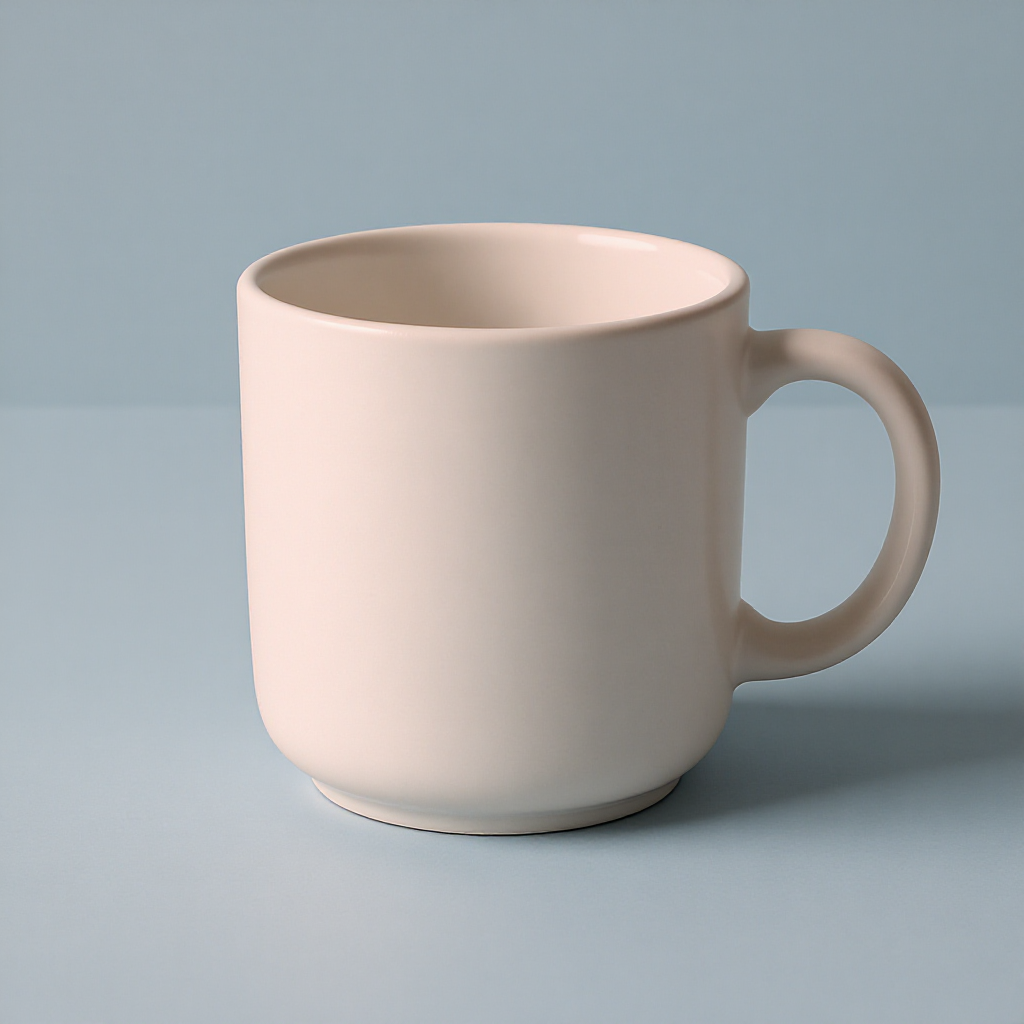
An unbranded ceramic mug with a rounded handle, shown at a gentle three-quarter angle on a pale blue tabletop. Soft light from the left, a subtle contact shadow, plain background and generous space around the object. Quiet editorial product composition. The mug is the only subject; lettering will be added separately.
For a real recommendation, start with the seller's accurate, rights-cleared product photograph. Don't replace it with a fictional object and imply that the material, proportions or included accessories are authentic. Any generated concept should remain clearly identified as a concept.
How Do You Assemble the Final Guide?
Arrange the approved images before adding decorative elements. Align the image boxes, choose consistent gutters and place names in a repeatable position. Then adjust the featured item and supporting items so the page has an obvious reading order. Typography belongs to the final composition, not to an assumption about text generation.
Run two separate checks:
- Does the collection belong together? Compare background, light direction, crop and apparent scale. Don't make different products appear equal in physical size unless that is true.
- Is each recommendation accurate? Compare shape, color, labels and accessories against the actual product. Visual consistency cannot compensate for a misleading depiction.
Finally, inspect the guide at its intended reading size. If names become unreadable, simplify the layout rather than adding more explanatory text inside the images.
Should everything be generated together? Separate assets offer an editorial advantage: replacing one item needn't mean rebuilding the entire layout. This is a workflow choice, not a model limitation.
Does an older Nano Banana guide describe 2.1? No. The existing Nano Banana 2 overview concerns earlier versions; don't treat it as evidence for 2.1.
Prepare the product list and visual briefs now. When Nano Banana 2.1 is available on Siray, use its published instructions to explore the imagery, then make the final selection and layout yourself.