
One API for Multiple AI Models: Simplify Your AI Video Stack

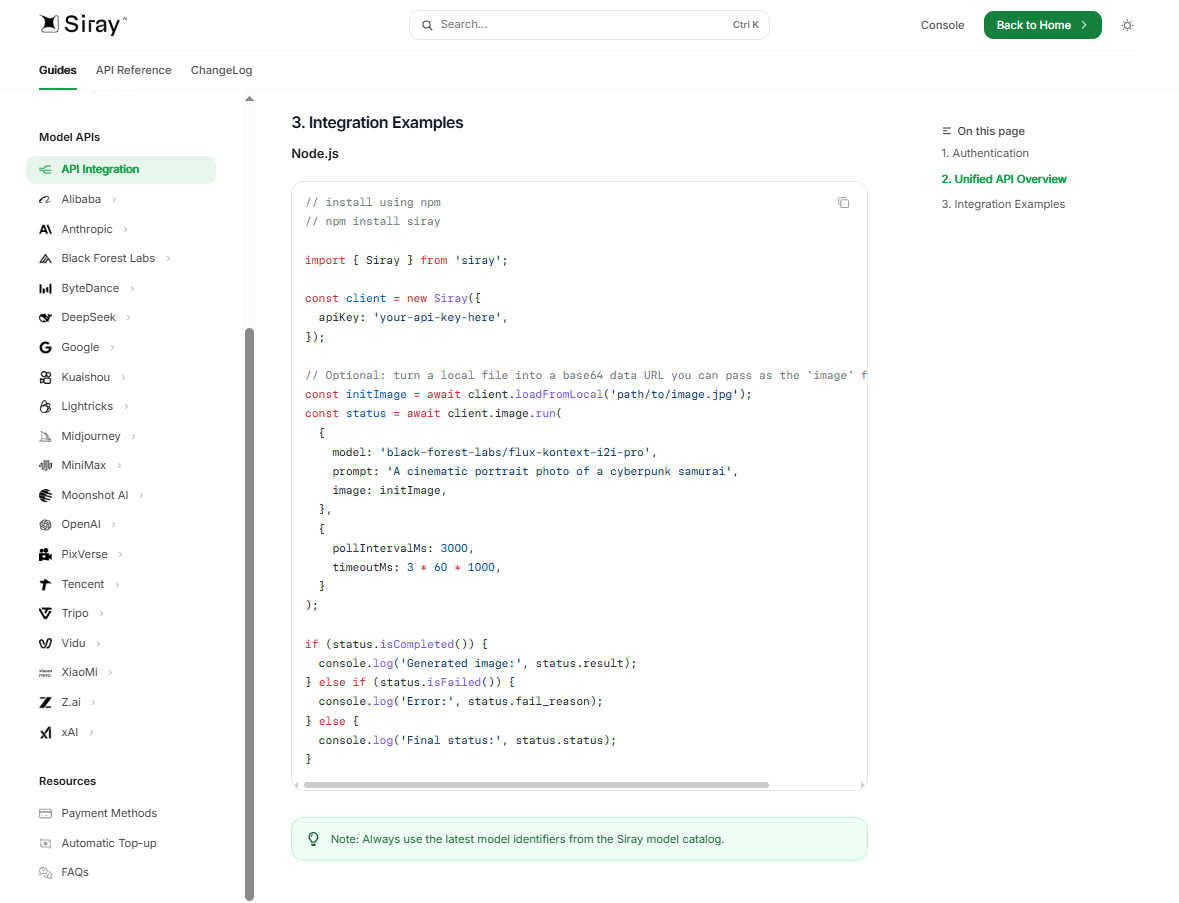
Separate credentials, adapters, response parsers, and failure paths turn every new video model into maintenance work. The practical answer is one application-owned generation contract connected to a unified layer such as Siray. Teams new to this pattern can first review how an AI API works as a baseline. With that boundary implemented and model-specific differences isolated, product code can stay stable while configuration selects models.
TL;DR: Put one application-owned generation contract in front of Siray’s single API interface, then keep model IDs and unique controls in configuration. Siray documents 300+ models and one API key after signup. Migrate gradually, canary switches, classify failures before bounded retries, cap spend and concurrency, and retain model-specific validation.
Verified source capsule (retrieved July 10, 2026): The Siray API documentation describes a single API interface for 300+ models. The Siray website presents the access sequence as sign up, then use one API key. These are platform-access claims, not a promise that every model shares identical inputs, outputs, pricing, latency, or lifecycle behavior.
Key Takeaways
- Isolate model choice behind a stable application interface.
- Normalize common concepts in the application; isolate model-specific controls.
- Bound retries, fallback attempts, concurrency, and spend before production.
What Contract Should You Define Before Choosing AI Models?
Define request concepts that product code owns: generation intent, model or routing policy, text or media inputs, supported controls, an internal request ID, and a project or budget tag. Define a canonical result with an internal reference, selected model, applicable lifecycle category, output references, normalized error category, and usage or cost only when documented.
The raw API response, sanitized for diagnostics, stays available to the application; do not assume that an upstream provider payload is exposed. Put controls unique to Veo, Kling, Seedance, Hunyuan, or another model inside an isolated extension boundary. Verify exact payload mappings against the current Siray documentation cited above.
How Can One API for Multiple AI Models Handle Switching?
Model identifiers belong in an application-owned registry, never in product code. Business logic can request policies such as “preview” or “final”—application examples, not Siray product tiers—while configuration maps each policy to an allowed model. Switching models then becomes a controlled configuration change rather than a product rewrite.
# Policy → model mapping lives in config, not product coderegistry: preview: "<fast/cheap model id>" # application label, not a Siray tier final: "<high-quality model id>"# Product code requests a policy; the adapter resolves the model,# then calls Siray with one API key and a prompt-style request.
This configuration-first pattern is what turns a single endpoint into a practical multi-model video API, and it underpins building a model-agnostic, one-API video workflow.
Canary a new mapping with limited traffic and measurable acceptance criteria. Make fallback explicit per workload and validate the target model’s controls. Fallback can change output behavior. Treat each fallback as a potentially separate billable submission for budgeting unless current documentation says otherwise; a unified AI API does not make outputs identical.
How Can You Migrate to a Unified AI API Gradually?
Use a strangler sequence:
- Inventory direct integrations, credentials, parsers, and failure paths.
- Freeze a canonical generation interface.
- Build a Siray adapter: Product code → canonical interface → Siray adapter → selected model.
- Replay non-billable fixtures or mocks, then run controlled live tests.
- Shift traffic gradually with metrics and a tested rollback.
Keep old adapters behind the same interface until acceptable parity is demonstrated. Compare behavior, latency, failure handling, and cost—not byte-for-byte output.
Which AI Video API Errors Should Be Retried?
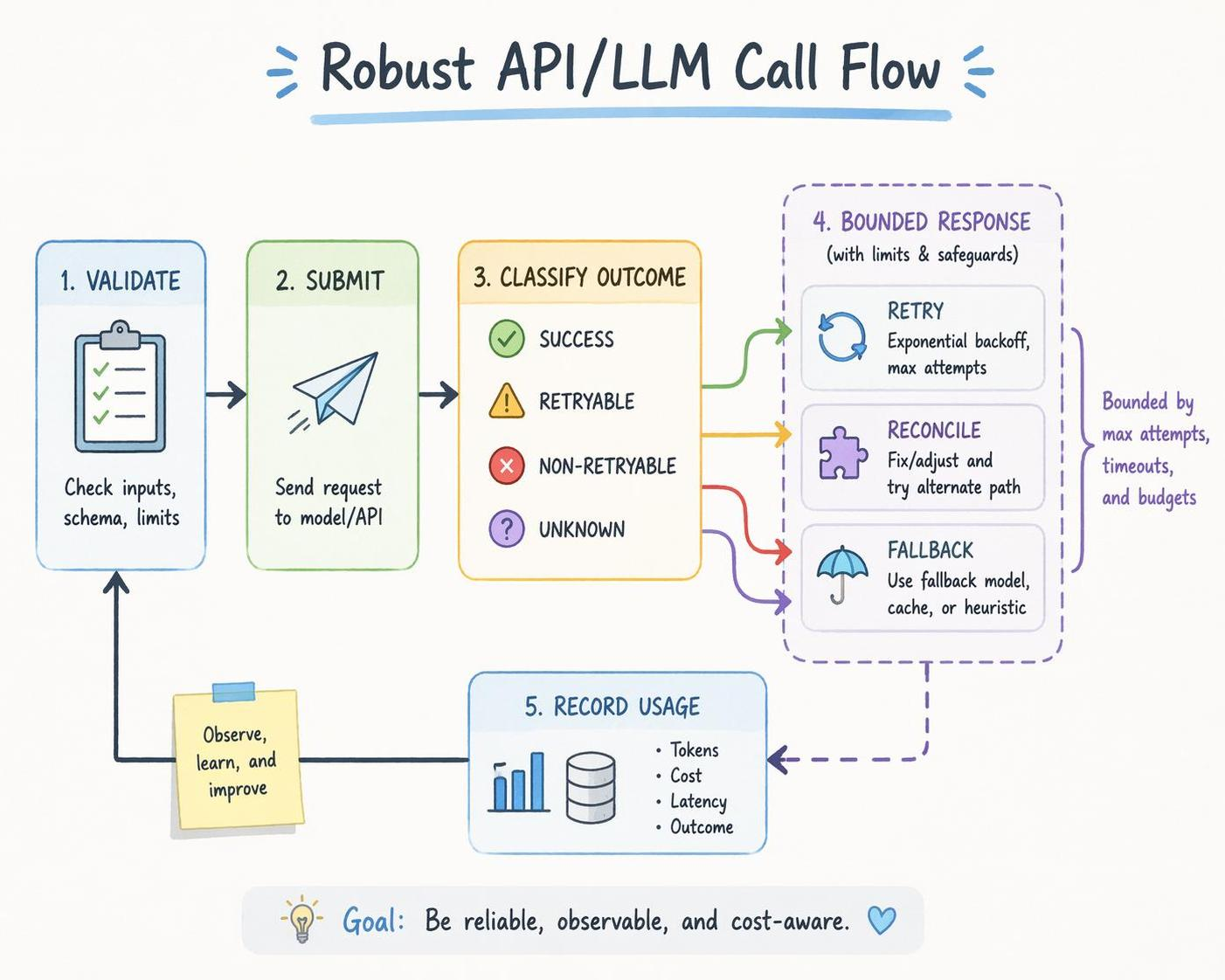
Classify the outcome before retrying. The table below is a generic client-side policy, not a statement of Siray-specific error codes, lifecycle states, reconciliation features, idempotency, or billing behavior:
| Error class | Default client action |
|---|---|
| Invalid input / unsupported option | Do not retry; fix or reject |
| Authentication / permission | Alert; fix or rotate credentials |
| Quota / throttling | Follow current docs; cap delay and attempts |
| Transient network / service failure | Bounded exponential backoff with jitter |
| Model-generation failure | Retry or fallback only by explicit policy |
| Unknown completion outcome | Use a documented reconciliation mechanism if one exists; otherwise stop automatic resubmission and escalate |
Attempt counts and elapsed-time limits both need hard caps. Do not assume idempotency or billing semantics. When completion is uncertain, use a documented reconciliation mechanism if available; otherwise stop automatic resubmission and escalate. Exact Siray error mappings and lifecycle details require verification against current documentation.
How Should You Control AI Video API Costs?
Application code enforces model allowlists by environment and workload, project budgets, concurrency limits, retry budgets, fallback ceilings, alerts, and a kill switch. Keep application-owned quality policies mapped to models in configuration. Audit the selected model, attempts, and outputs; record billed usage only when the API exposes it. Set thresholds from current documented pricing. Vendor and pricing comparisons should be evaluated separately from this implementation architecture.
The Same Access Layer Also Supports ComfyUI Workflows
The verified integration path is concise: search siray-comfyui in ComfyUI Manager, install it, configure the Siray API key, and use the available hosted Siray model nodes in a graph. The siray-comfyui repository documents the Manager search, API-key configuration, and hosted model nodes; the official ComfyUI documentation covers ComfyUI itself. For models executed on Siray, this can avoid downloading those model weights and reduce local VRAM requirements, while other local nodes may still require local resources. This complements code integration; it does not replace production controls or prove that every Siray model has a dedicated node.
Production Checklist
Use this checklist as a release gate; each item should have an owner, evidence, and a rollback condition.
- Stable canonical contract
- Configured model registry and allowlists
- Canary metrics and rollback
- Classified errors and bounded retries
- Budget, concurrency, and fallback ceilings
- Sanitized audit records and kill switch
Model flexibility comes from stable application boundaries, not loyalty to one model.
FAQ
These answers separate what unified access standardizes from what still requires model-level handling.
Can one API make every AI video model behave identically?
No. It can unify access and common concepts, while model-specific capabilities require explicit extensions, validation, and testing.
How should an application retry a failed AI video request?
Classify the failure first, retry only transient or documented retryable conditions with bounded backoff, and reconcile uncertain outcomes before resubmitting. Exact Siray mappings require verification.
Can Siray be used with ComfyUI?
Yes. Search siray-comfyui in ComfyUI Manager, configure the API key, and use an available hosted model node. Check the current project documentation before relying on a particular installation flow or node.
Create your Siray account, get one API key, and start building a model-switchable AI video workflow.