
Pixverse V5.5: The Best AI Video Tool for Marketing & Film

The landscape of generative AI is shifting rapidly. Just when creators thought they had settled on a favorite tool, a new contender reshuffles the leaderboard. Enter PixVerse v5.5—an update that promises to solve the biggest headaches in AI video creation: consistency, motion fluidity, and cinematic control.
If you have been struggling with morphing characters or "jittery" backgrounds in other models, this update demands your attention. PixVerse v5.5 isn't just a minor patch; it is a significant leap forward in instruction following and visual fidelity.
In this review, we will strip away the marketing hype and look at the raw performance. We will compare it against industry heavyweights like Runway Gen-3 and Kling, analyze benchmark data, and show you exactly how you can test this powerhouse model yourself on Siray.AI.
What is PixVerse v5.5? The Core Upgrades
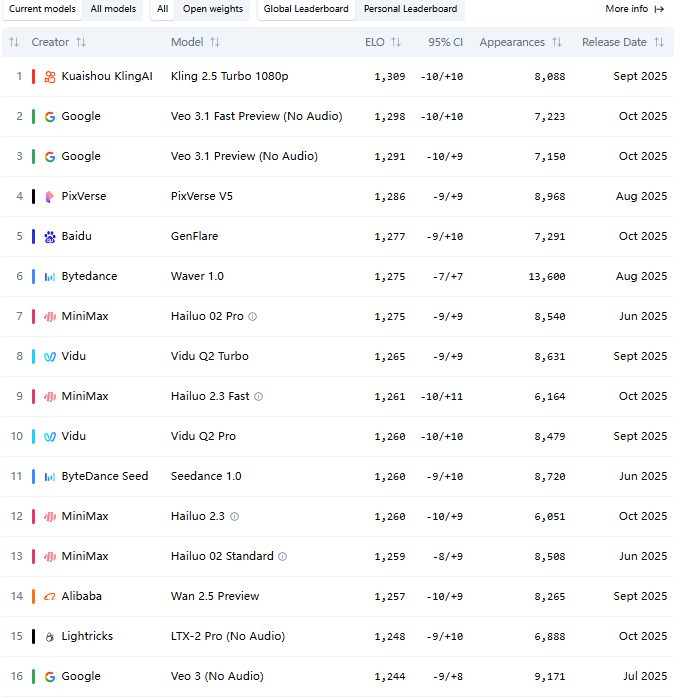
PixVerse v5.5 builds upon the solid foundation of its predecessors but refines the engine for professional use cases. While V4 and V5 were impressive, V5.5 focuses on the subtleties that separate a "cool AI experiment" from a "production-ready video."
1. Cinematic Lens Control This is perhaps the most exciting feature for filmmakers. Unlike standard prompts where you hope the AI understands "wide angle," PixVerse v5.5 supports over 20 specific cinematic lens controls. You can simulate depth of field, specific focal lengths, and camera movements (pans, tilts, zooms) with granular precision.
2. Multi-Image Fusion (True Consistency) The holy grail of AI video is character consistency. V5.5 introduces advanced Multi-Image Fusion. You can now upload multiple reference images of a character or product, and the model will fuse them to maintain identity across different scenes. This effectively solves the "morphing face" issue that plagues many competitors.
3. "Faultless" Prompt Adherence We tested this extensively at Siray.AI. When we asked for specific complex interactions—like "a cyberpunk robot handing a red flower to a child in a rainy alleyway"—the model adhered to every element of the prompt without hallucinating unnecessary objects or ignoring the red flower.
4. 1080p Native Generation Gone are the days of blurry 480p previews. V5.5 supports native high-definition generation with options to upscale, ensuring your content is ready for YouTube or Instagram immediately after rendering.
Benchmark Analysis: How It Stacks Up
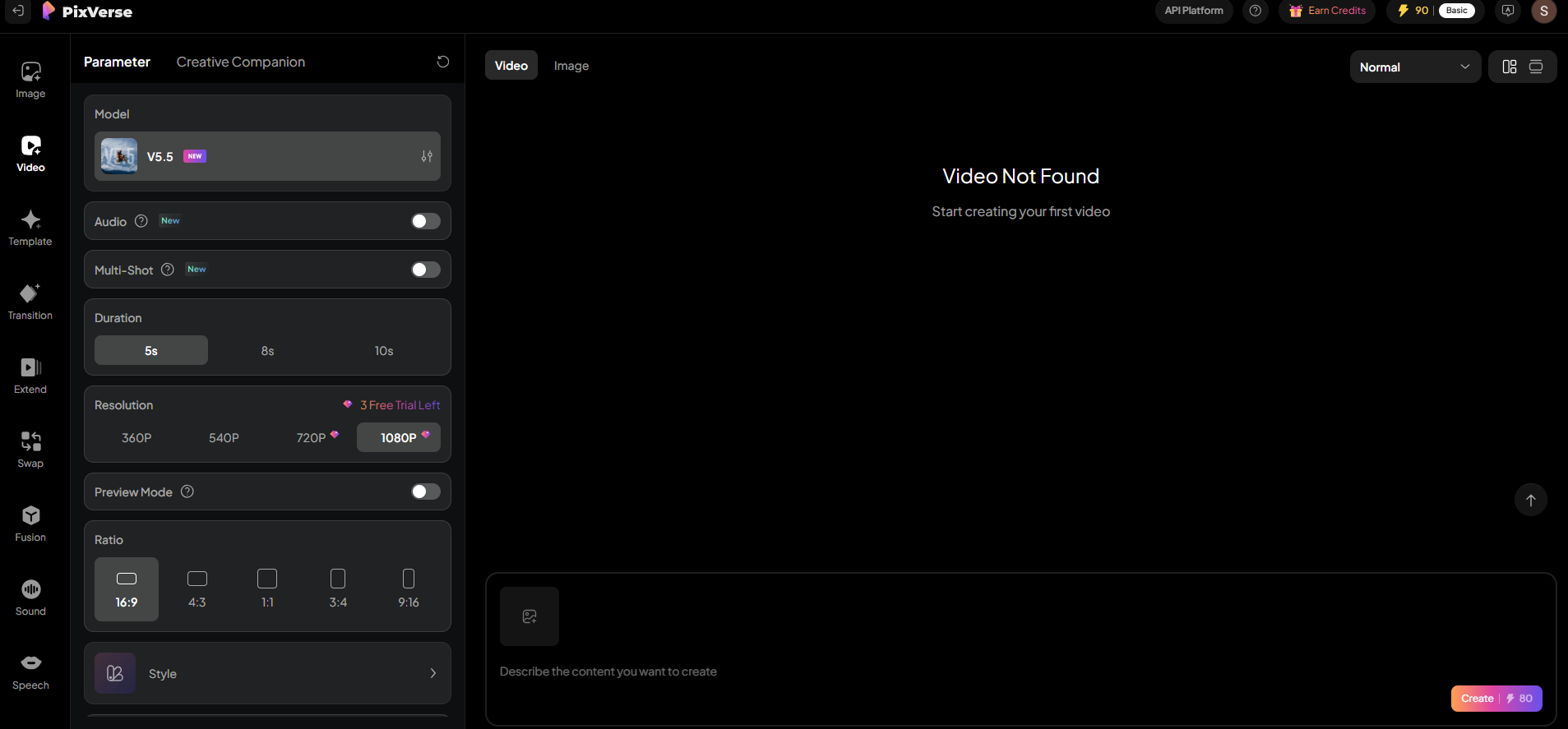
We believe in data-driven decisions. According to recent benchmarks from Artificial Analysis, PixVerse has climbed the ranks rapidly.
- Speed: PixVerse v5.5 is clocking in faster generation times than Runway Gen-3 Alpha, often delivering a 5-second clip in under 30 seconds.
- Quality: In blind tests for "Image-to-Video" quality, PixVerse currently ranks in the Top 2 globally, rivaling models that cost three times as much.
- Motion: The "Liquid Motion" metric—which measures how natural fluids and fast actions look—shows V5.5 reducing artifacts by roughly 40% compared to V4.
When compared to Kling AI, PixVerse v5.5 offers a more user-friendly approach to camera control, whereas Kling often requires more "gacha-style" re-rolling to get the right camera angle.
Real-World Use Cases
Who is this model actually for? Here is where we see PixVerse v5.5 shining:
- E-commerce & Product Marketing: Using the Multi-Image Fusion, brands can animate static product photos into lifestyle videos without the product warping. A shoe remains the exact same shoe, even as it "walks" down a street.
- Narrative Filmmaking: The lens controls allow directors to storyboard and animate scenes with intentional cinematography. You can finally pull off a "dolly zoom" effect without the AI getting confused.
- Social Media Content: With the "Smart Effects" presets (like the popular squish or inflate effects), creators can hop on TikTok trends in minutes rather than hours.
How to Use PixVerse v5.5 on Siray.AI
Accessing this technology shouldn't require a degree in computer science. We have integrated the full capabilities of PixVerse v5.5 directly into the Siray.AI dashboard.
Step 1: Choose the Model
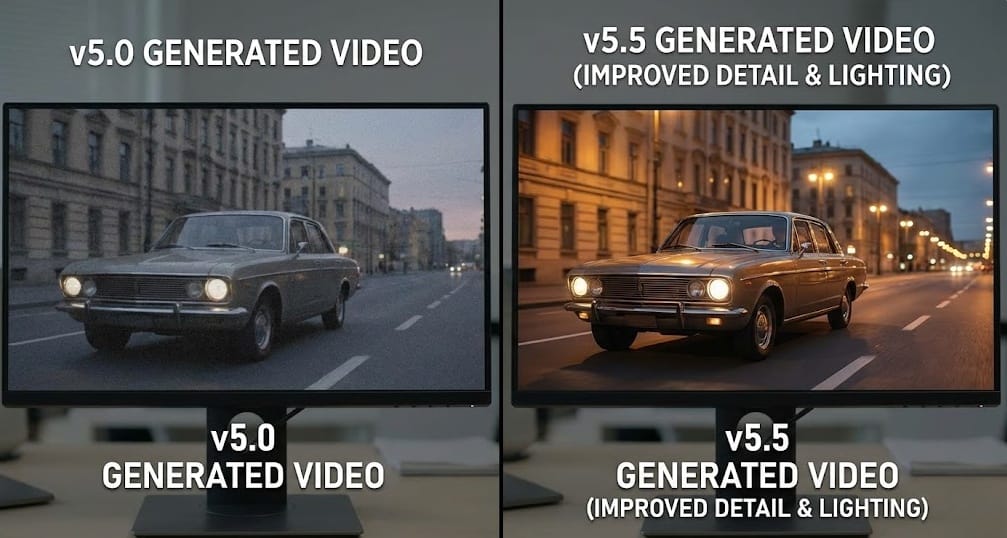
Log in to Siray.AI and navigate to the Video Generation studio. Select "PixVerse v5.5" from the model dropdown menu.
Step 2: Craft Your Input
- Text-to-Video: Be descriptive. Mention lighting (e.g., "volumetric lighting"), camera angle (e.g., "low angle shot"), and motion style.
- Image-to-Video: Upload your reference image. If you need character consistency, use the "Fusion" tab to upload supplementary angles of your subject.
Step 3: Adjust Settings
Set your aspect ratio (16:9 for YouTube, 9:16 for Reels). Toggle the "High Fidelity" mode if you are planning to use the video for professional work.
Step 4: Generate
Hit "Generate." In moments, you will have a high-definition video ready for download.
Comparison: PixVerse v5.5 vs. The Competition
| Feature | PixVerse v5.5 | Runway Gen-3 | Kling AI |
| Prompt Adherence | High | High | Medium |
| Character Consistency | Excellent (Fusion Mode) | Good | Good |
| Generation Speed | Fast (<30s) | Medium | Slow |
| Camera Control | Granular (Lens specific) | Good | Limited |
| Price Point | Affordable (via Siray.AI) | Premium | Premium |
While Runway remains a powerhouse for large studios with massive budgets, PixVerse v5.5 offers a "best of both worlds" scenario—premium quality without the enterprise-level bottleneck.
Summary
PixVerse v5.5 isn't just another update; it is a maturity milestone for AI video. It moves us away from "random generation" toward "directed creation." With features like cinematic lens control and multi-image fusion, it empowers creators to execute a specific vision rather than just hoping for a happy accident.
Whether you are a marketer needing consistent product videos or a filmmaker visualizing a script, V5.5 delivers the fidelity you need. And the best part? You don't have to take our word for it.
Ready to Create?
Experience the power of PixVerse v5.5 yourself. You can try the model for free right now on Siray.AI. Sign up today to get 3 free generations and see the difference professional-grade AI can make in your workflow.