
Z-Image NSFW Character Consistency: Keep the Same Face

The first render is always the heartbreak. A creator nails a stunning uncensored persona, then tries a second prompt and gets a stranger. Here is the honest reason: Z-Image is text-to-image, so it invents a new person every prompt unless the operator constrains it. There is no consistency button and no native face swap. Z-Image NSFW character consistency is a prompting discipline, assembled from a few repeatable levers, not a toggle you flip. As Siray puts it, consistency is a prompting habit, not a toggle. This guide teaches the habit.
TL;DR:
- Z-Image has no one-click face swap; it is text-to-image only (z-image-turbo-t2i).
- Consistency comes from a reusable, unchanged subject-description block.
- Concrete face anchors beat vague praise every time.
- Seed lock and reference anchoring help where the endpoint supports it.
- Need real face swap? Use a reference or video model instead.
Why does Z-Image change the face on every prompt?
Z-Image changes the face because text-to-image models sample fresh on every run. The model ID exposed on Siray is z-image-turbo-t2i, and it holds no memory of prior outputs. Each generation reads your words and paints a plausible person from scratch. Change the wording, or even keep it identical without a seed, and a new face appears. That is the mechanism, not a bug.
This is why the face-swap myth needs to die early. Siray's own guidance is blunt: consistency "isn't a model feature you toggle on; it's a prompting habit." The operator supplies the constraints. For a broader view of the tradeoffs, see how Z-Image compares to other uncensored models.
Citation capsule: Z-Image on Siray runs as z-image-turbo-t2i, a text-to-image model that samples independently on every prompt with no memory of past renders. Per Siray guidance, character consistency "isn't a model feature you toggle on; it's a prompting habit," which is why identical intent still produces new faces without operator constraints.
Does Z-Image have a face swap feature?
No. Z-Image does not have a face swap feature. Z-Image-Edit is not released, and Siray exposes only the text-to-image endpoint. There is no reference-image input that lets you paste a face and stamp it onto a new body. Anyone searching "z-image face swap" expecting a button should reset that expectation now.
Face swap needs something Z-Image lacks: a reference image the model conditions on, so identity carries from source to target. Z-Image builds identity from text alone. Creators who genuinely need to transplant a specific face should use a reference-based video face swap instead.
Callout: Honest reset. If your workflow depends on locking one exact reference face, Z-Image is the wrong tool. Its strength is fast lawful-adult text-to-image generation, and consistency there is earned through prompt structure, covered next.
How do you keep the same character across Z-Image images?
Consistency on Z-Image is assembled from four levers, applied on every single generation. Skip one and the character drifts. There is no shortcut and no hidden setting: the operator rebuilds the same identity each time, deliberately. The four levers below stack, and a fifth power-user route exists for creators running local ComfyUI.
Lever 1: Build a reusable subject-description block
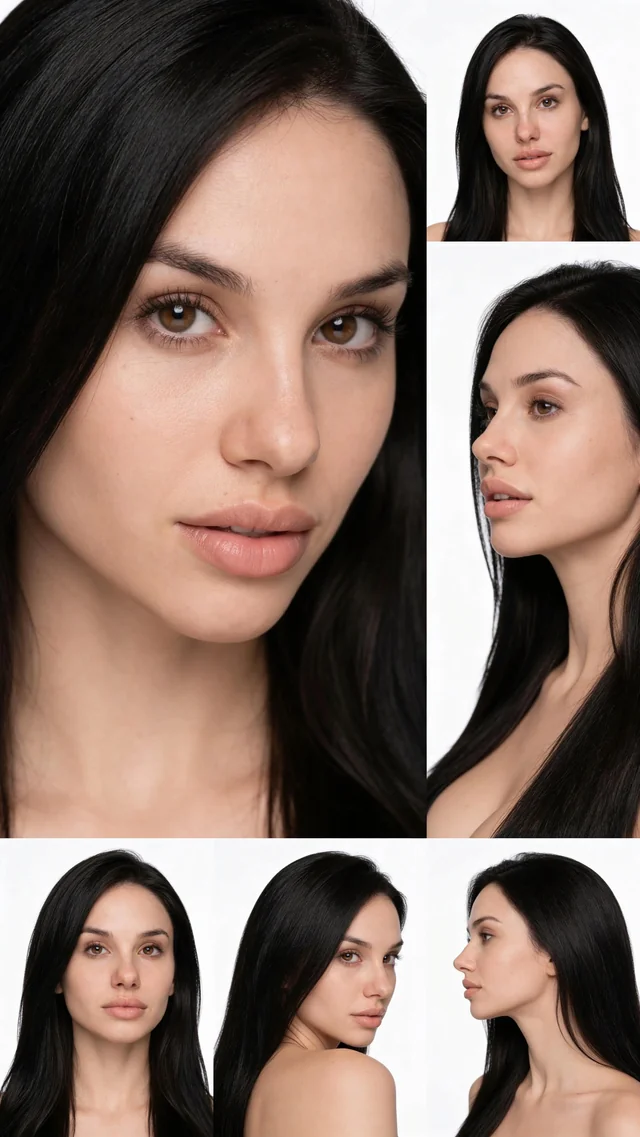
This is the anchor of the whole method and the single highest-impact move. Write one fixed block describing the persona: face shape, build, hair, skin tone, and any distinguishing marks. Paste that block into every prompt, unchanged, word for word. Only the scene, wardrobe, and pose change around it.
[PERSONAL EXPERIENCE] In our review of drifting character sets, rewriting the description each generation is the number one cause of a persona turning into someone new by the fifth image. Treat the block as a fixed asset, not a sentence you retype. The variable text lives outside it.
Lever 2: Use concrete face anchors, not vague praise
Vague praise produces drift because the model has too much freedom. "Beautiful woman" can render ten thousand faces, all valid. Specificity narrows the field. Give the model measurable geometry instead of adjectives, and repeatability climbs sharply.
- Weak (drifts): "gorgeous woman, pretty face, attractive"
- Strong (stable): "soft round jaw, medium nose bridge, slightly wide-set almond eyes, defined cupid's bow, small mole above the left lip"
[UNIQUE INSIGHT] Adjectives describe a reaction; geometry describes a face. The model can only reproduce what it can measure. Praise is unmeasurable, so it resets each run.
Lever 3: Lock the seed and anchor a reference where supported
State this one conditionally. A fixed seed reduces variation between two otherwise-identical prompts, so it stabilizes a good result rather than guaranteeing a face. Where the endpoint supports it, an @image1-style reference anchor can bias a new render toward a prior one. Verify both against live Siray docs before relying on them. Treat seed and reference as stabilizers, not a consistency guarantee. Z-Image's core path is still text-to-image.
Lever 4: Use explicit preserve and change phrasing
Name what stays and what moves. Add a plain instruction line such as: "Keep the face, hair, and jewelry exactly the same, only change the outfit and scene." Naming what to preserve narrows the model's freedom to reinvent details you care about. The more precisely you fence off identity, the less the model wanders.
Power-user route (community, not Siray): LoRA plus SAM mask plus FaceDetailer
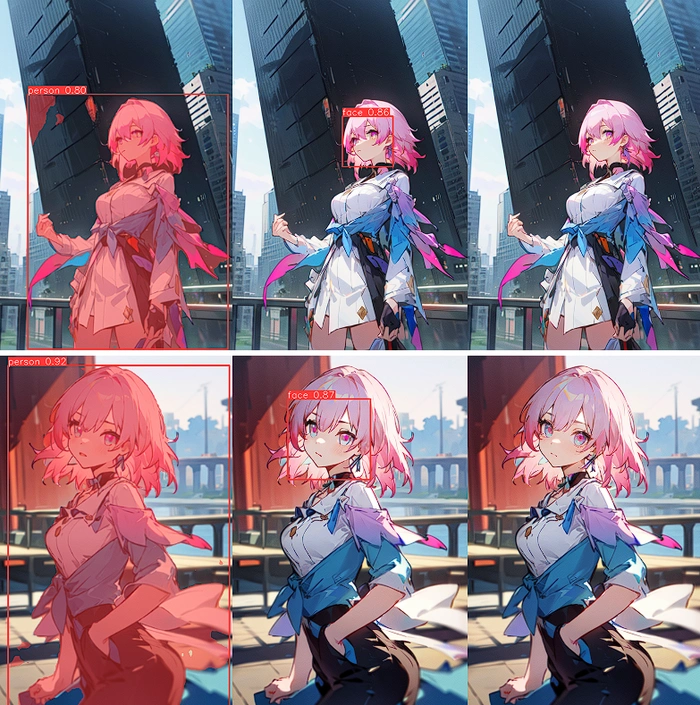
This is a local ComfyUI technique for creators running their own stack. It is not a Siray-hosted toggle. Train a character LoRA to carry identity, use a SAM face and hair mask to isolate the region, then run FaceDetailer to refine that region without touching the rest. The nodes and workflow behind this route are described in the official ComfyUI documentation. It is advanced, optional, and lives entirely on your own hardware.
What does a full consistent-character prompt look like?
Here is one copy-ready lawful-adult prompt assembling all four levers, then a variation that reuses the same block to prove the method. Every character described is a fictional adult, 18 or older.
[LOCKED SUBJECT BLOCK]Adult woman, 27, soft round jaw, medium nose bridge, slightly wide-setalmond eyes, defined cupid's bow, small mole above the left lip, warmolive skin, long dark-brown hair with a center part, athletic build,gold hoop earrings.
[SCENE]Reclining on a dark linen bed in warm low light, sheer black lingerie,one strap slipped off the shoulder, direct confident gaze at camera.
[PRESERVE / CHANGE]Keep the face, hair, and earrings exactly the same. Only change thescene, wardrobe, and pose.
[SEED NOTE] Reuse the fixed seed from the canonical render if theendpoint exposes it; verify against live Siray docs.
Variation, same block, new scene: keep the entire locked block above, then swap only the scene to "standing at a rain-streaked window at night, open silk robe, city lights behind her." The face carries. That reuse is the whole point.

- Z-Image is text-to-image (z-image-turbo-t2i); there is no consistency button and no native face swap.
- A reusable, unchanged subject block is the single highest-impact lever.
- Concrete facial geometry beats adjectives for repeatability.
- Seed and reference anchoring stabilize results where the endpoint supports it.
- True face swap belongs to reference or video models, not Z-Image. Explore the full range of uncensored generation models.
FAQ
Can Z-Image swap a face from a photo? No. Z-Image on Siray is text-to-image only (z-image-turbo-t2i), with no reference-image input and no released edit model. Face swap needs a model that conditions on a source image, so use a reference-based video model for that job.
What is the fastest way to stop character drift? Build one subject-description block and paste it into every prompt unchanged. In our review of drifting sets, retyping the description each time was the top cause of a persona becoming a new person by the fifth image.
Do seed and reference anchoring guarantee the same face? No. A fixed seed reduces variation between identical prompts, and reference anchoring can bias toward a prior render where the endpoint supports it. Both are stabilizers, not guarantees. Verify current behavior against live Siray docs.
Available on Siray
Z-Image (z-image-turbo-t2i) is live on Siray right now. Register at siray.ai and start building a consistent uncensored character with the four-lever method above. No install and no local rig required for the core workflow. Just a locked block, concrete anchors, and disciplined reuse.
NSFW compliance: Siray permits lawful adult content only. Every character described here is fictional and AI-generated, depicting adults (18+) only, never real individuals without consent and never minors. Siray rejects all illegal content and has zero tolerance for CSAM. "Uncensored" means no filtering beyond what the law requires; it never means over-censorship, and it never permits anything illegal.