
Qwen Image 3 Sticker Designs: Make Motifs, Then Cut Out

Sticker art has to survive being small and isolated. With Qwen Image 3, start by designing one recognizable motif against a simple background. Then remove the background, inspect the edge and assemble the sheet in an editor. A generated image is source artwork, not automatically a transparent sticker, a vector file or a production-ready cutting template.
Key TakeawaysKeep each motif recognizable without its background; small details may not survive the intended display size.Siray's Qwen Image 3 t2i specification requiressizeandaspect_ratioand offersnfrom 1 to 6.Output count is not sticker count. Background removal, consistent borders and printer-specific cut paths remain separate production tasks.
What Makes a Useful Sticker Motif?
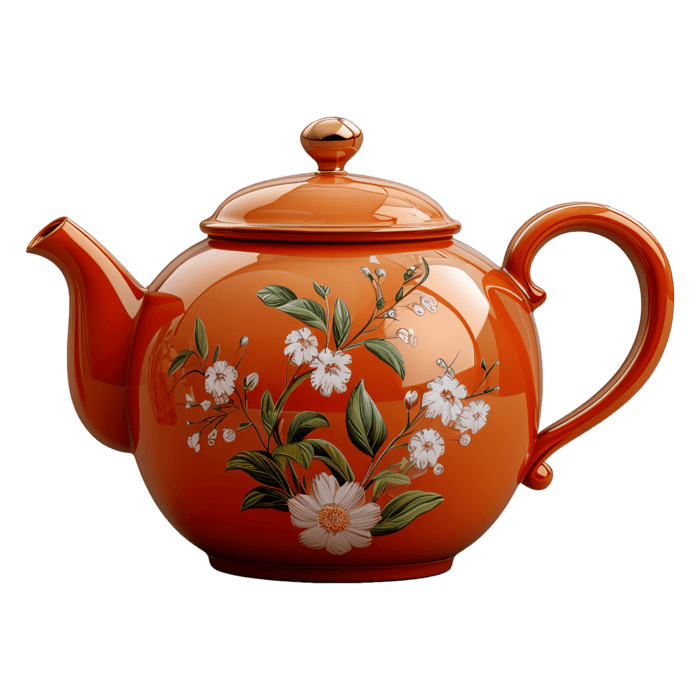
Give the artwork a shape that still reads when reduced. A teapot with a broad handle and a simple spout has an identifiable outline; tiny lettering and scattered decoration make isolation harder. Decide the intended use first: a chat sticker, a notebook sticker and a large label may need different detail levels.
Before requesting a background remover, ask whether the subject works without its environment. If the joke depends on a detailed kitchen scene, cutting out the teapot may remove the idea itself. Design the silhouette and expression to carry the message before investing in cleanup.
Use original motifs or artwork you have the right to reproduce. A model depicting a familiar mascot does not grant commercial reproduction rights.
How Should the Prompt Describe the Edges?
Name one subject, its outline style and the empty space around it. A plain background is a useful working target, but it is not transparent output. Avoid overlapping objects: they complicate isolating a complete motif.
One original orange teapot illustration, rounded body, broad curved handle and simple short spout. Bold clean outline, flat color areas and minimal interior detail. Centered as a complete isolated motif on a plain pale background, with generous space around every edge. Playful but readable silhouette; no lettering needed.
This is an illustrative prompt, not a tested result. Review for a closed handle, a complete spout and a continuous outer edge. Don't assume “isolated” guarantees a clean alpha channel or that “bold outline” produces a consistent border thickness.
Which Qwen Image 3 Controls Matter?
Use the general alibaba/qwen-image-3-t2i endpoint. As checked on October 15, 2026, the Siray Qwen Image 3 t2i specification requires model, prompt, size and aspect_ratio. size accepts 1k or 2k; a square 1:1 ratio is a documented option for a single motif.
n accepts integers from 1 to 6, defaulting to 1. It controls the requested number of output images, not the number of stickers within an image. If you want different named motifs, prepare their briefs separately rather than assuming a larger n assigns a different object to each result.
The schema has no negative_prompt, background-transparency control or vector-output option. prompt_expansion_enable defaults to true; set it to false when you want to remove that documented automatic expansion step during prompt comparisons. Inspect the output.
The Qwen Image 3 social-ad guide discusses generating alternative artwork. Here, the additional work is turning selected artwork into a clean standalone asset.
What Happens After Generation?
Remove the background in an editor, then inspect the result on both light and dark surfaces. Pale halos may disappear on white but become obvious on a dark chat background. Check openings inside handles and other enclosed shapes as well as the outer edge; a background-removal tool may treat them differently.
Add a consistent visible border only after the silhouette is clean. For physical stickers, a printer's cut path is separate from that decorative border. Use the printer's own bleed, spacing and file requirements; do not invent universal production dimensions from the generated image size.
Arrange the approved motifs on the sheet with spacing. Inspect each at its intended final size, not only enlarged on the screen. Remove details that collapse into noise, and keep the layered layout for revisions.
Does 2k mean print-ready? No. Output size alone doesn't establish physical print dimensions, effective resolution, cut paths or color suitability.
Can the motif become a vector? You can redraw or trace it in separate software, then inspect the paths. That is a postproduction step, not a native capability claimed for this endpoint.
Create a focused motif through Siray, then treat isolation and finishing as real design work. The useful deliverable is a clean asset, not just a cute picture.
Source: Siray, Qwen Image 3 t2i OpenAPI specification, retrieved October 15, 2026, linked above. No generation or print test was performed.