
Z-Image Spicy Pro Monochrome Portraits: Keep Shadow Detail

A black-and-white portrait can lose the face even when the silhouette looks striking. For Z-Image Spicy Pro, describe the tonal relationships before asking for drama: skin lighter than the shirt, a background separated from the hair, and shadows with visible transitions. The goal is a readable portrait, not a darker image. These are proposed creative directions, not tested generation results.
Key TakeawaysDescribe light, middle and dark areas separately; removing color doesn't create tonal separation automatically.Keep the face readable before adding grain or stronger contrast.Siray's Z-Image Spicy Pro endpoint has no dedicated monochrome control or negative_prompt. Black-and-white treatment belongs in the prompt, and its success must be checked in the output.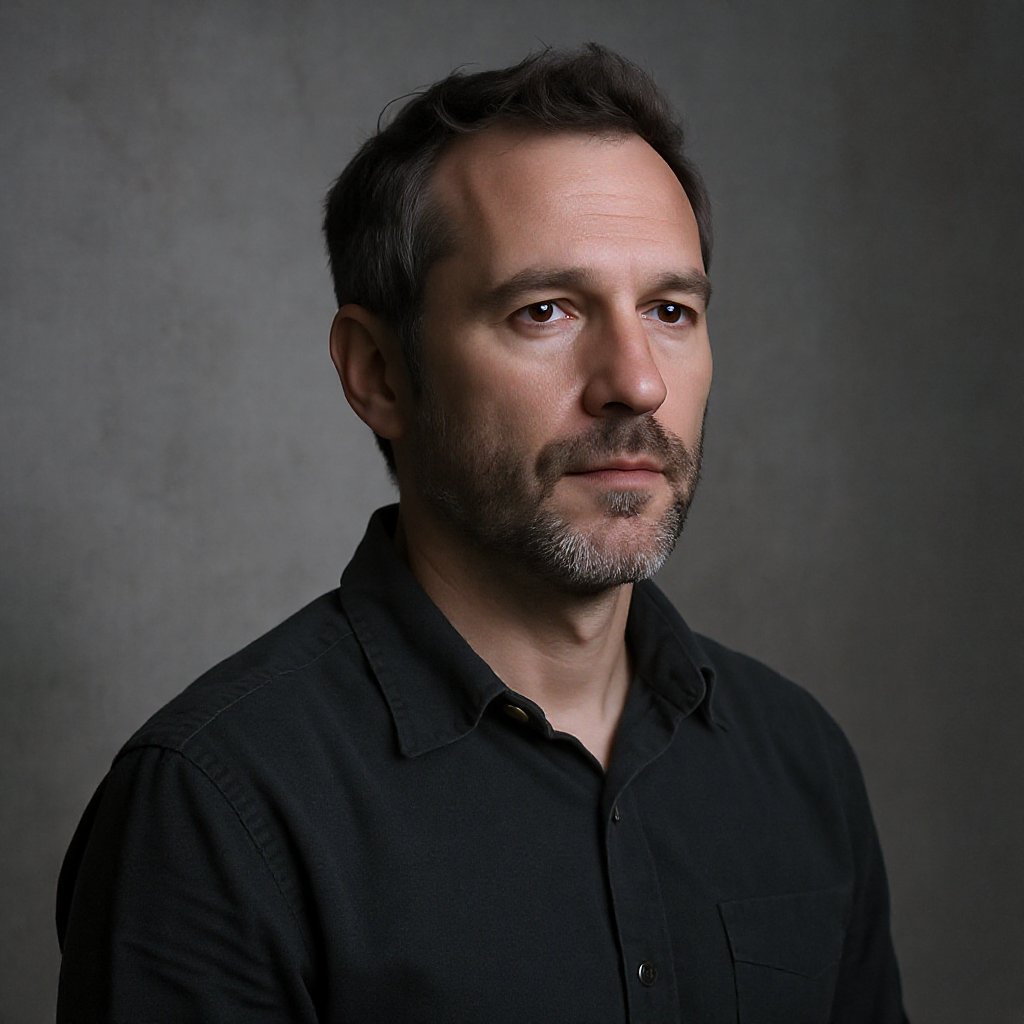
Which Tones Need to Stay Separate?
Choose large tonal areas before describing small details. A pale shirt against a pale wall may disappear after a monochrome treatment, even if their original colors differ. Specify a dark garment, a middle-grey background and gently lit skin when those relationships suit the intended scene.
This is a compositional choice, not a rule that every portrait must follow. The useful question is whether adjacent shapes remain distinguishable. If the hair and background merge, ask for clearer separation at that boundary rather than making the entire picture brighter.
For a non-explicit boudoir-inspired setting, a fully closed robe or simple shirt is enough. Keep the garment description brief while testing tones. The existing Z-Image fabric guide handles material rendering; this article focuses on brightness relationships.
How Should the Light Reveal the Face?
Request broad side light with gentle fill and readable detail on the shadow side. “Dramatic contrast” alone leaves the depth of the shadows unspecified. Name the features that should remain visible: the shaded eye, cheek contour and jaw transition. These are acceptance targets, not pixel-level guarantees.
Try changing one lighting clause at a time:
- Flat face: ask for a gentle transition from the lit cheek to the shaded cheek.
- Lost eye: request readable detail around the eye on the shadow side.
- Disconnected head: ask for separation between dark hair and the background.
- Harsh skin: reduce demands for extreme contrast before adding texture language.
A little shadow can describe shape. A featureless black patch cannot show the detail the brief asks for.
Build a Monochrome Prompt Without Overloading It
Begin with pose, clothing and tonal structure, then add the lighting direction. Leave grain out of the first version. Otherwise, a textured surface can distract from a face whose important shapes have disappeared. Save the composition and wording you like before exploring a stronger film-like finish.
A fictional adult aged 40, fully clothed in a dark cotton shirt, seated in a quiet interior. Black-and-white editorial portrait, medium-grey background, gentle separation around the hair. Broad side light, soft fill and readable shadow detail around the eyes and jaw. Natural skin texture, calm expression, restrained contrast and a simple shoulder-up composition.
As checked on October 15, 2026, the Siray Z-Image Spicy Pro specification requires model, prompt and size. Use alibaba/z-image-spicy-pro-t2i; 768x1024 is one documented portrait preset. There is no input-photo field, so this is text-to-image composition, not an edit of an existing portrait.
prompt_expansion_enable defaults to true. Setting it to false removes the documented automatic expansion step while comparing prompt changes. It does not enforce monochrome output or lock lighting. There is no negative_prompt; describe the desired tones positively.
What Should You Check Before Adding Grain?
Inspect the full image at a small size, then inspect the face closely. First confirm that the subject separates from the background. Next check whether the dark side still carries facial information. Only then evaluate texture; adding grain cannot recover features that were never generated.
Is a silhouette a failed portrait? Only if the brief requires readable facial detail. A silhouette is a different intention, not a substitute for this one.
Can color be removed afterward? Yes, an editor can convert an image to black and white. That is a postproduction treatment, not evidence that the model followed the original monochrome request.
Explore a restrained black-and-white portrait through Siray. Choose the result for its readable shapes before choosing it for its dramatic surface.
A Note on Compliance
Examples involve fictional or consenting adults aged 18 or older and remain non-explicit. Siray refuses illegal content and has zero tolerance for CSAM. Use any reference material only with the necessary rights and consent. Siray provides access to third-party models, not a claim of self-hosting.
Source: Siray, Z-Image Spicy Pro OpenAPI specification, retrieved October 15, 2026, linked above. No inference test was performed.