
NSFW Pose Prompting Guide: Body Language and Framing

Pose is where most NSFW prompts fall apart. Faces and skin respond well to descriptive language, but a body doing something specific needs direction, not adjectives. On alibaba/qwen-image-3-pro-t2i-spicy there is an extra constraint: the endpoint has no negative_prompt field, so the usual habit of listing what to exclude is not available. Everything has to be stated positively. This guide breaks pose prompting into five elements, then stacks them into one working prompt.
Key Takeaways
- alibaba/qwen-image-3-pro-t2i-spicy has no negative_prompt field. Exclusions have to be rewritten as positive descriptions.
- aspect_ratio is a required parameter with 15 values, so framing is a decision on every request rather than an optional modifier.
- prompt_expansion_enable defaults to true and will rewrite pose language. Set it to false for directed work.
- n accepts 1 to 6, which makes six pose variants a single call at $0.046 per output image.
Element 1: The Pose Verb
Controls: what the body is actually doing.
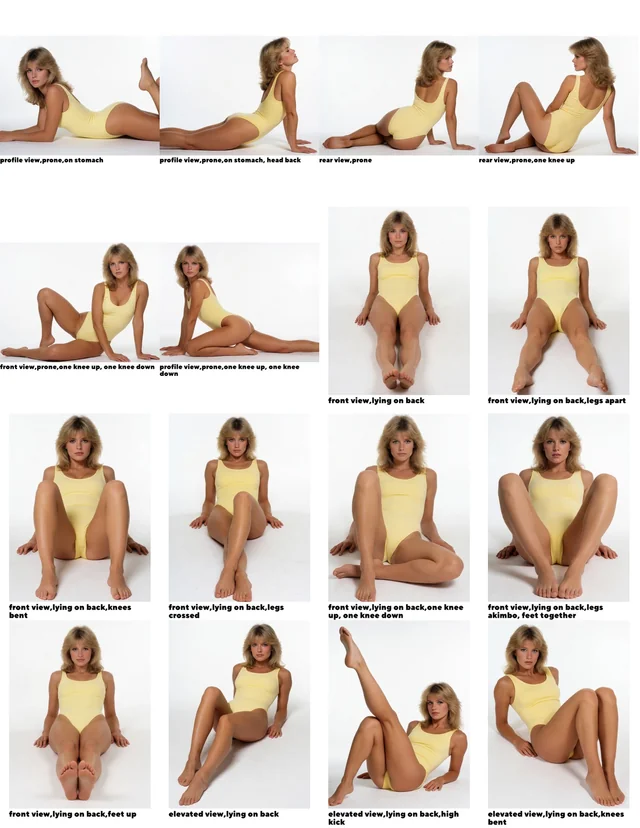
Static nouns produce static images. "A woman on a bed" gives the model no action to resolve, so it falls back on a generic centred pose. An action verb gives it something to build around.
- Weak: woman on a bed, lingerie
- Directed: woman kneeling upright on a bed, arching back, one hand reaching behind her head
Element 2: Weight and Tension
Controls: whether the pose reads as a real body or a mannequin.
Body language lives in where the weight sits and where the muscles are working. Naming the load-bearing point and one point of tension does more than any number of adjectives.
- Mini example: weight shifted onto the left hip, shoulders rolled back, tension across the thighs
- More explicit tier, same technique: weight on both knees, hips tilted forward, back fully arched
The structure does not change as content gets more explicit — the load-bearing point and the tension point are still the two things named.
Element 3: Framing, via a Required aspect_ratio
Controls: how much of the body is in frame.
aspect_ratio is required on this endpoint and accepts 15 values: 1:1, 1:2, 2:1, 1:3, 3:1, 2:3, 3:2, 3:4, 4:3, 4:5, 5:4, 9:16, 16:9, 9:21, 21:9. Framing therefore gets decided on every request, thought about or not.
- 3:4 and 4:5 — standing or kneeling full body, the workhorses for portrait-orientation pose work
- 9:16 and 9:21 — tall crops that cut at the thigh or waist and push the eye up the body
- 1:1 — close framing on torso or upper body
- 16:9 and 21:9 — reclining poses, where the body runs along the frame
Pair the ratio with an explicit crop in the prompt. The ratio sets the canvas; the prompt has to say where the body sits inside it — full body in frame, head to feet, or cropped at mid-thigh.
Element 4: Camera Height and Eye Line
Controls: the viewing relationship.
Camera height changes the read of an identical pose: low angle looking up, level, and high angle looking down produce three different images from the same body position. Eye line is a separate decision worth stating outright — into the lens, away, or down.
- Mini example: low camera angle looking up, subject looking down into the lens
Element 5: Hands and Extremities, With No Negative Prompt
Controls: the failure mode everyone already knows.
Hands, feet, and overlapping limbs are where generation breaks. The standard fix — a negative prompt listing deformed hands, extra limbs — does not exist on this endpoint. The replacement is to give every extremity a job.
An unassigned hand is free to go wrong; a hand with a stated position and contact point is constrained by the description itself.
- Mini example: left hand flat on the mattress, right hand gripping the headboard, fingers visible and separated, feet crossed at the ankles
fingers visible and separated is doing the work a negative prompt used to do, stated positively. The same approach covers the rest: name a contact surface for each foot, and say which limbs cross and where.
Stacking All Five
Parameters: aspect_ratio: 3:4, size: 2k, prompt_expansion_enable: false, seed fixed.
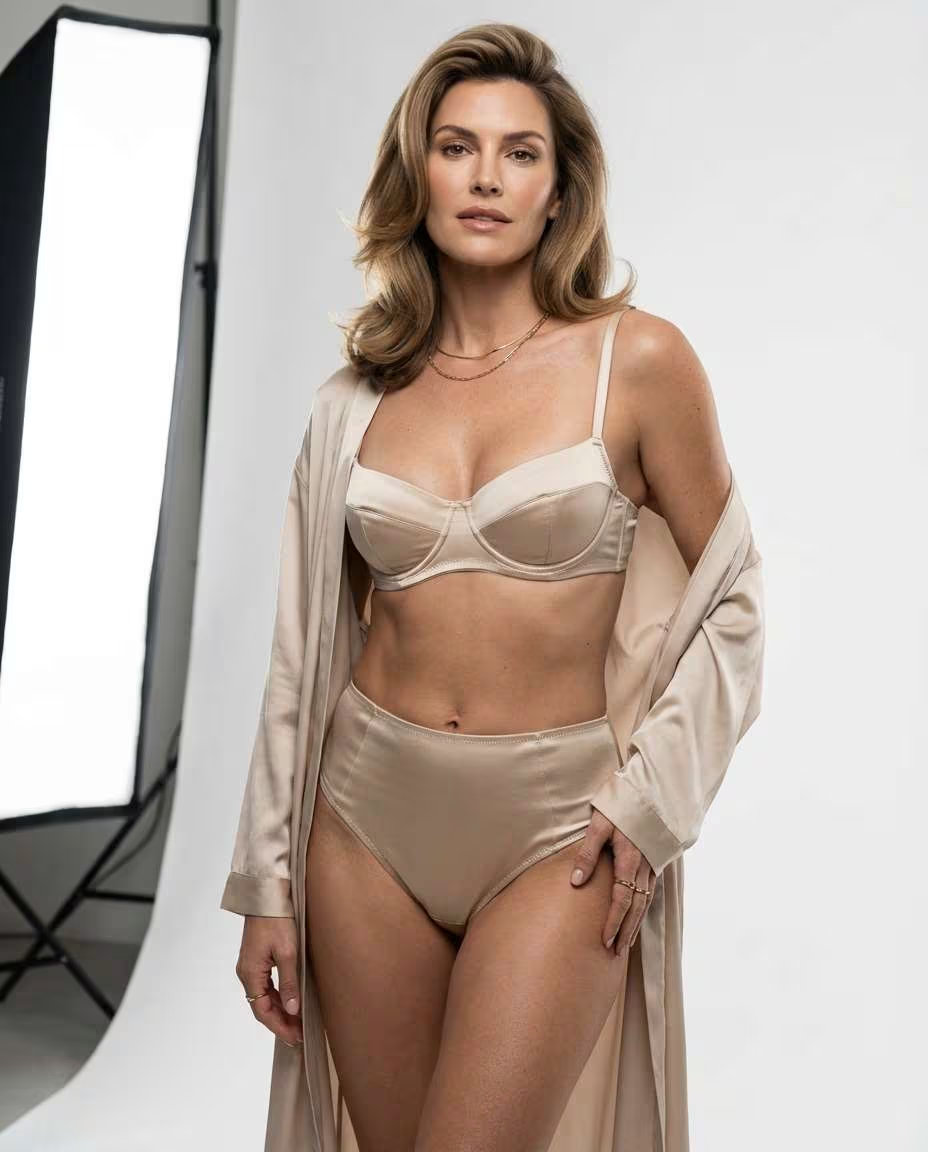
Prompt:woman kneeling upright on a bed in open lingerie, arching back, weight on both knees, hips tilted forward, shoulders rolled back, tension across the thighs, left hand flat on the mattress, right hand reaching behind her head, fingers visible and separated, full body in frame, low camera angle looking up, subject looking down into the lens, soft window light from the left
Turning prompt_expansion_enable off matters at this length. Left on, the model rewrites the prompt before generation and can collapse carefully ordered pose language back into something generic.
Cost and Variants
This tier runs $0.046 per output image. n accepts 1 to 6, so six pose variants from one prompt is a single call. Hold seed fixed and change one element at a time to see what each is contributing; seed accepts -1 through 2147483647 here.
For whether the Pro Spicy tier is worth its rate over the standard Spicy tier, see Qwen Image 3 Pro Spicy versus Spicy. Skin and material detail stack on top of pose without overlapping it — those techniques are covered in Qwen Image 3 Spicy prompting. For character-led work see fantasy character portraits, and for wardrobe accuracy as its own element, cosplay costume detail.
Create your free Siray account and start directing NSFW poses with Qwen Image 3 Pro Spicy through one API key.
A Note on Compliance
Siray's NSFW and uncensored models generate legal, consensual adult content for verified adults only. CSAM and any other illegal content are refused with zero tolerance. Qwen Image 3 Pro Spicy is a third-party model available through Siray's API, not a Siray-hosted model, and the same standard applies to everything generated with it.