
Seedance 2.5 Halloween Video: A Storefront Turns Strange

A shop does not need to become a collapsing haunted castle to make a Halloween video. Start with something recognisable, then let one detail behave strangely: a window display goes dark while the street stays lit, or an empty chair slowly turns. Seedance 2.5 can take a storefront photograph as an image-to-video input. The creative task is to choose an event that leaves the shop recognisable.
Key TakeawaysUse a clear, authorised photograph of the actual location.Introduce one unusual event rather than several competing effects.Keep event dates, prices and booking details in a separate end card.An input photograph does not guarantee unchanged signs or architecture.
Choose What Must Still Look Familiar
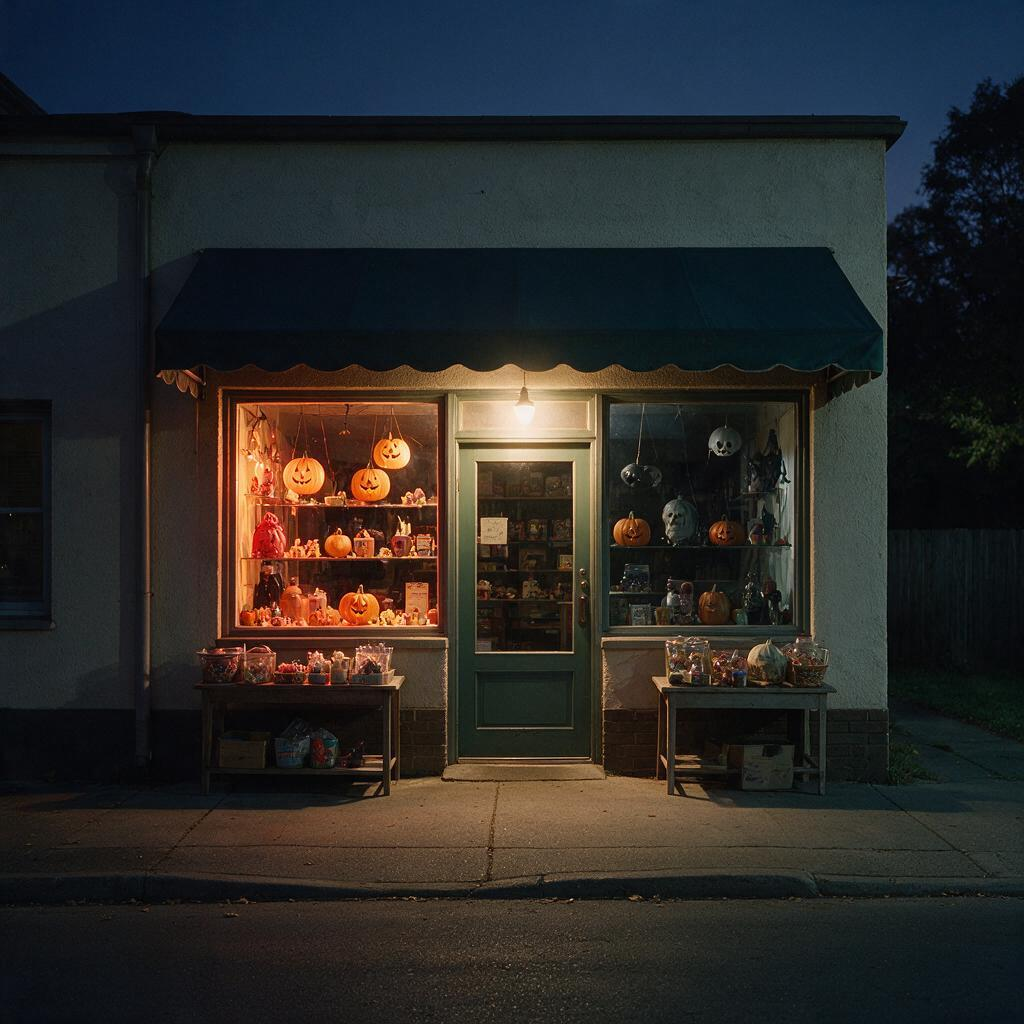
Select a photograph with the entrance, main windows and pavement visible. A simple frontal or three-quarter view gives the scene a readable shape. Avoid starting with a crowd or passing traffic when the story is supposed to happen in one window. Obtain permission for the photograph and avoid identifiable bystanders in the demonstration.
Mark the features that make this particular shop recognisable: a striped awning, a corner door, a distinctive window frame. Preserve those in the brief. The Seedance brand-video guide addresses a shared look across scenes; this short needs a familiar place to survive one strange event.
Write Normal, Strange, Then Stop
An eight-second source clip is enough to try a simple idea, not a promise that every beat will happen at the requested instant. Begin with a quiet evening storefront. Let the window display lights extinguish from left to right while the entrance light remains on. Hold the final dark window instead of immediately revealing a monster.
The unanswered question is what is inside. Fog, moving pumpkins, lightning and a flying sign would compete with that question. Choose one event for the first attempt. If the light sequence is unclear, simplify it to one display light going out before adding more effects.
Part of the promo | Job | Production method |
|---|---|---|
Familiar opening | Establish the actual shop | Source photograph and generated footage |
Unusual event | Create a small moment of suspense | One described action in the clip |
Event card | Explain the Halloween offer | Accurate text added in an editor |
Use the Image-to-Video Endpoint
The Siray Seedance 2.5 i2v specification, checked October 9, 2026, requires model, prompt, image, duration, size and aspect_ratio. Duration accepts whole seconds from four through thirty, and resolution options are 480p, 720p and 1080p.
Optional end_image and audio_enable fields are available. The documented request has no seed or prompt-expansion switch. This example uses neither an end image nor generated audio: request a silent clip and add any licensed sound in editing. Do not copy extra controls from another video model.
Put the Promotion After the Suspense
The generated shot supplies the atmosphere; a designed card supplies the offer. Add the correct event date, hours and booking address there. Do not ask a moving storefront sign to carry essential details. Even a plausible sign may contain incorrect letters, and a spooky visual does not explain how to attend.
Keep the copy honest. A fictional monster encounter is a creative theme, not evidence of a real incident at the business. Label synthetic promotional visuals where required and do not use the clip as documentary footage. Avoid violent injury or property destruction when a light going out already tells the story.
Inspect the Shop, Not Just the Effect
Compare the entrance, windows and awning against the source. Watch for a door moving position, invented neighbouring shops or broken pavement geometry. Review the opening and closing frames at full size before adding the event card. No storefront video has been generated for this guide; the following prompt is an untested production starting point.
Create your free Siray account and try one unsettling event before building a longer Halloween promo.