
Wan 3.0 for Marketing Hero Videos: A Prompting Workflow

Key Takeaways
- This is the brand angle, not the e-commerce or short-form guide: ambient, loopable video for a homepage hero, a social profile/cover, or a brand-identity loop, with no product and no story beat.
- t2v and i2v have no dedicated "hero video" or "banner" parameter — the workflow below uses real fields only: aspect_ratio, duration, end_image, seed, prompt_expansion_enable.
- i2v's end_image can point back at the starting frame to make a clip loop cleanly, a different use of the same field than a before/after product transition.
Wan 3.0 for E-commerce: Product Demos and Video Ads covers demo clips and ad creative with a product in frame. Wan 3.0 for Short-Form Video: Scene and Structure covers narrative pacing and shot sequencing. This piece is neither: it's about prompting ambient, non-narrative video that sits behind a homepage headline or loops as a social cover, where the goal is mood, not a message or a product. For the full schema rundown, see the Wan 3.0 overview.

What Wan 3.0 Offers for a Hero Video
Two endpoints matter here: alibaba/wan-3.0-t2v for generating a loop from a text description alone, and alibaba/wan-3.0-i2v for animating an existing brand photo or illustration into ambient motion. Both share size (480p/720p/1080p, no 4K), duration (any integer, 2-30 seconds), and aspect_ratio (six values: adaptive, 16:9, 9:16, 1:1, 4:3, 3:4). audio_enable is a boolean with no declared default; prompt_expansion_enable defaults to true. Neither exposes negative_prompt. There is no hero-video or banner flag — every technique below is one of these fields used with brand-loop intent, not a separate mode.
Motion: Prompting an Ambient Loop, Not a Story Beat
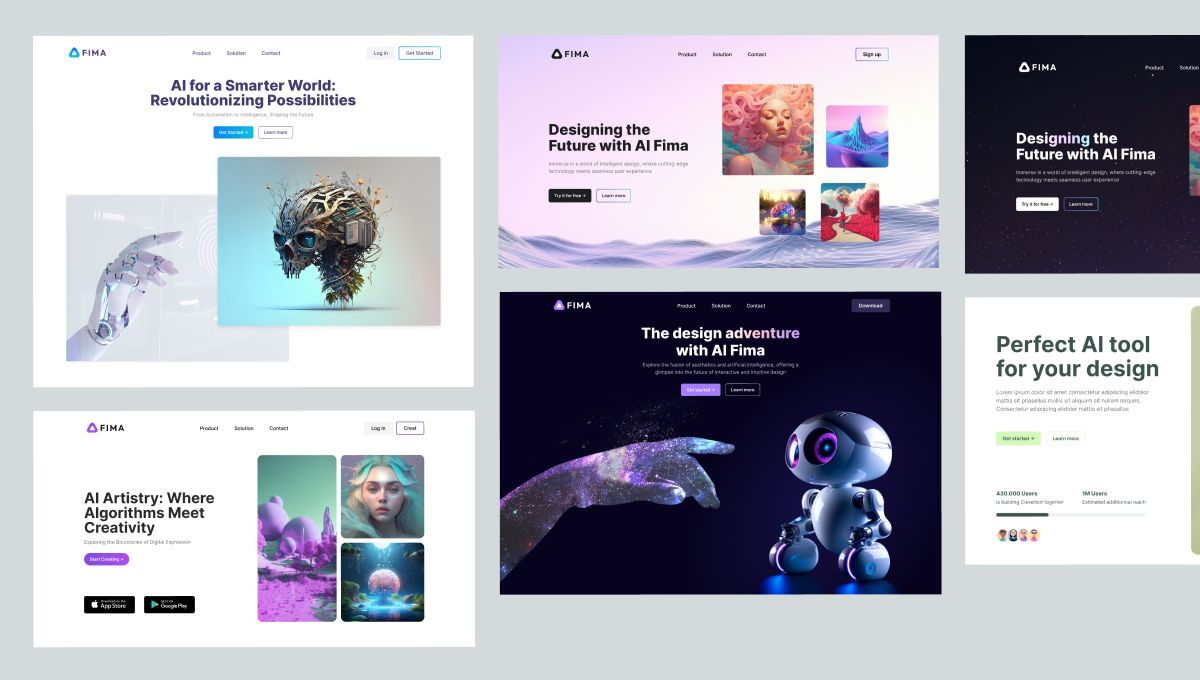
A hero background has to hold attention without competing with the headline on it, so the motion vocabulary is the opposite of a short-form clip's. Describe continuous, low-amplitude movement, not an action or a cut: "slow linear drift across a soft-focus texture," "gentle parallax between a blurred foreground and a sharper background," "a light ambient sway, no sudden movement." Avoid verbs that imply a plot beat — arriving, turning, reacting — even a wide shot reads as narrative with those. "Steam rising slowly over a matte surface, camera holding still" is a loopable mood shot; "a person walks into frame and turns to camera" is a story beat competing with the headline.
Aspect Ratio and Duration for Where the Video Lives
Choose aspect_ratio by where the video actually sits, not by default habit:
Aspect ratio | Typical hero/banner placement |
16:9 | Desktop homepage hero background, wide banner sections |
9:16 | Mobile-first hero sections, Stories-style social hero placements |
1:1 | Square social cover crops, profile-adjacent brand loops |
adaptive | Matches the source image's own framing (i2v only) |
duration accepts 2 to 30 seconds, but a background loop rarely needs the full range — a tight 6-to-10-second clip that loops cleanly reads as more polished than a long single take, since most autoplay hero placements restart or loop the file.
Making the Loop Return to Its Start (i2v end_image)
i2v takes a required image and an optional end_image, setting the first and last frame. The e-commerce use of this field points the end frame toward a different state — a packaged product, an after-shot. For a hero background, the useful move is the opposite: set end_image to the same image as the starting frame, or a close variant, so the motion arcs back toward where it began, reducing the visible jump when a page loops the file. This is a workflow choice, not a "loop mode" toggle — end_image behaves identically either way; only the supplied image changes the outcome.
Color and Lighting Language for Brand Consistency
With no palette or brand parameter, color and lighting have to be locked in the prompt text itself, consistently, across every render of the same hero. Exact tones ("a muted sage and warm cream palette," "a single warm amber key light, no hard shadows") work harder than generic phrases like "nice lighting." Set audio_enable to false for muted autoplay backgrounds, since the field has no documented default; set prompt_expansion_enable to false when the look is tightly art-directed, since its true default adds unrequested detail; and fix seed to one integer across duration or aspect-ratio variants of the same brand loop.
Putting the Elements Together
A combined i2v request for a homepage hero, drawing on all of the above:
{
"model": "alibaba/wan-3.0-i2v",
"prompt": "Slow linear drift across a soft-focus warm cream and muted sage texture, single warm amber key light, no hard shadows, gentle ambient sway, camera holding still, no cuts",
"image": "<brand-photo-or-illustration-url>",
"end_image": "<same-brand-photo-url>",
"duration": 8,
"size": "1080p",
"aspect_ratio": "16:9",
"audio_enable": false,
"prompt_expansion_enable": false,
"seed": 40217
}
Prompt
Re-running the same request with only aspect_ratio changed to 9:16 or 1:1 produces the mobile and social-cover variants of the same brand loop without re-describing the scene.
Developer Note
t2v requires model, prompt, duration, size, aspect_ratio. i2v requires those plus image, with end_image optional. Both share one Siray API key with every model on the platform, so a campaign that also needs a still-image model is a config change, not a new integration. Per-second pricing for the plain Wan 3.0 endpoints changes with active promotions — check the current rate on the model detail page before budgeting a run, rather than assuming last week's number still holds.
FAQ
Can Wan 3.0 loop seamlessly for a website hero section?
No dedicated loop parameter exists, but i2v's optional end_image can match the starting frame, so the seam is harder to notice on repeat.
What aspect ratio should a Wan 3.0 hero video use?
16:9 desktop, 9:16 mobile/Stories, 1:1 square social covers, adaptive (i2v only) to match the source image.
Does Wan 3.0 have a dedicated hero-video or banner mode?
No. A brand hero loop uses the same t2v/i2v fields as any other subject, combined with the motion and loop choices above.
Create your free Siray account and start generating Wan 3.0 hero videos.