
Wan 3.0 for Short-Form Video: Scene and Structure Guide

Key TakeawaysWan 3.0 is not yet available on Siray — this guide covers how to plan your short-form workflow for when it launches.The model is built for long single-take generation and document-to-video workflows, both of which change how short-form content gets structured.Wan 2.6 is available today as the production path while Wan 3.0 is in preview.
Wan 3.0 is coming to Siray. The model's architecture — detailed in the Wan 3.0 overview already published — introduces generation lengths and document-driven scene creation that reframe how short-form video gets built. Planning your workflow now means being ready to move on launch day.

What Wan 3.0 Brings to Short-Form
The two capabilities that affect short-form structure most directly are extended single-take generation and document-to-video input.
Extended generation length means a scene that would previously require multiple clips stitched together can be produced as a single continuous take. For short-form content, that matters because every stitch point is a potential continuity break — in motion, in lighting, in character position. Fewer cuts is a structural improvement, not just a convenience.
Document-to-video input opens a different workflow: start with a scene outline, a character brief, or a storyboard as text, and feed it directly into the generation process. Short-form creators who work from scripts or briefs before moving to production can use that as the natural starting point.
Four Scene Types and How to Structure Them
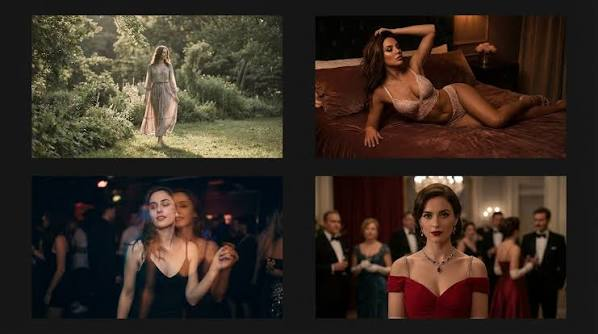
Action and movement sequences
Fast action benefits from the extended duration. Prompt for the complete motion arc — start position, movement, end state — rather than breaking it into short clips and cutting. Let the model carry the motion through rather than stopping it.
Dialogue and atmosphere segments
Low-motion, high-detail scenes work best with precise environmental prompts. Describe the setting in terms of light quality, spatial depth, and the mood the scene is establishing rather than what characters are doing. Wan 3.0's rendering quality in static or near-static frames is where document-driven input is most useful — a written scene description maps directly onto the visual output.
Establishing and environmental shots
Wide shots and environmental openers are natural candidates for long-take generation. A 15–30 second establishing shot that drifts slowly across a landscape or environment does not need cuts. Prompt it as a camera move — direction, speed, what the camera is revealing — rather than as a snapshot.
Transition clips
Short connective clips between segments — a door closing, a time-lapse, a brief cutaway — are low-stakes but high-frequency in short-form editing. Batch them. Describe the transition type and generate several variations in a single session rather than treating each as an individual task.
Today's Alternative: Wan 2.6
Wan 3.0 is still in preview and not yet available for API calls on Siray. For production work right now, Wan 2.6 is the live option:
- t2v: $0.08/second
- i2v: $0.12/second
The scene structure principles above apply to Wan 2.6 as well. Building your workflow now against Wan 2.6 means the transition to Wan 3.0 is a model name change, not a workflow rebuild.
Developer Note
When Wan 3.0 goes live on Siray, switching from Wan 2.6 is a single-line change in the model field. Siray's unified API keeps the authentication, request format, and response structure consistent across all Wan variants. No re-integration required.
Create your free Siray account and get started with Wan 2.6 today — Wan 3.0 access will be available through the same endpoint as soon as it launches.