
Wan 3.0 Ink Backgrounds: Direct the Flow, Leave Text Space

An ink cloud can look elegant until it crosses the words placed over it. For a Wan 3.0 background, plan the movement and text area together: one slow plume, a stationary camera and a deliberately quiet region for later typography. The result still needs inspection across time. An empty opening frame does not guarantee an empty final frame.
Key TakeawaysDescribe where the ink begins, how it spreads and which region should remain quiet.Add subtitles in an editor, not as lettering inside the generation prompt.Siray's Wan 3.0 t2v specification includes duration and aspect-ratio choices but no text-safe-region control. Check every part of the selected clip; clean framing is a requested result, not a locked area.
Where Should the Ink Move?
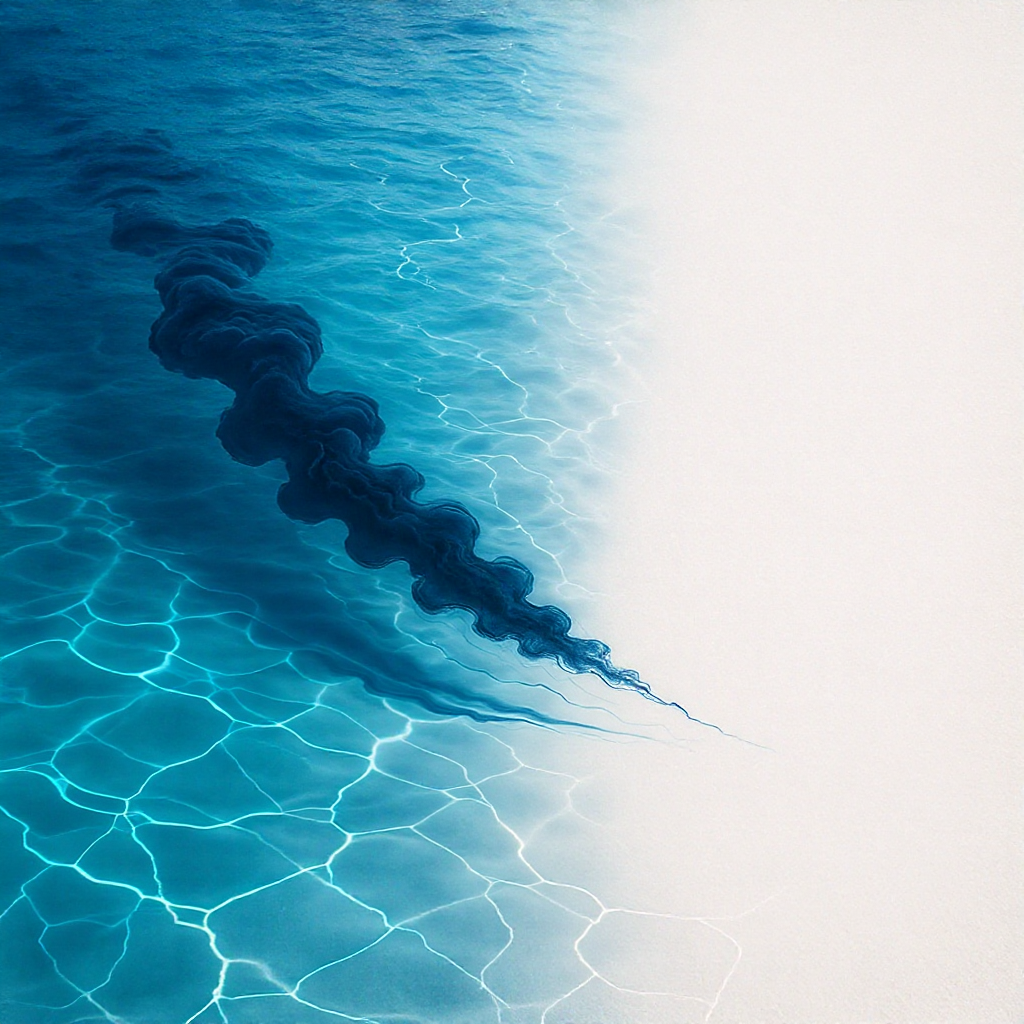
Give the plume a starting area and a simple direction. “Ink spreading beautifully” leaves the composition open; “a slow plume entering from the lower left and curling upward along the left edge” describes a path to try. Keep the opposite side quiet if that is where the text will sit.
Choose one kind of material behavior. Ink dispersing through water, smoke drifting through air and paint moving over paper suggest different scenes. Combining all three in one prompt makes the requested movement harder to interpret. For this exercise, use ink in clear water and keep the container outside the intended composition.
How Do You Reserve Space for Subtitles?
Describe a calm background region with low visual activity, then test it with real typography after generation. Don't rely on the phrase “negative space” alone. State where the quiet area belongs and how it should look throughout the shot. The model may still send thin tendrils through it, so review is essential.
A background passes only if the intended text remains readable for the portion you use. A pale corner may become dark later, and a moving highlight can interfere with lettering even when no ink crosses the text box. Evaluate motion, brightness and edge activity together.
Use a short placeholder sentence in the editor at the intended size. If it becomes difficult to read, trim to a calmer interval, move the text or add a restrained backing panel. Those are postproduction choices, not evidence of a model-controlled reserved region.
Build One Restrained Ink Prompt
Ask for a fixed camera and a single continuous movement. Avoid adding a zoom, a swirl toward the lens and a sudden splash while testing the text area. Start simply, then change flow direction or density individually.
A restrained blue-black ink plume dispersing slowly through clear water, entering from the lower left and curling upward along the left side. Pale, softly lit background. The right side remains calm and visually simple for text added later. Stationary camera, gentle continuous movement, one uninterrupted shot and a clean abstract composition.
This prompt is an untested creative direction. It does not guarantee fluid accuracy, an empty right side or an exact reproduction of the selected color.
As checked on October 15, 2026, the Siray Wan 3.0 t2v specification requires model, prompt, duration, size and aspect_ratio. Use the general alibaba/wan-3.0-t2v endpoint for this non-adult background.
A short initial test could use duration: 6, size: "720p" and aspect_ratio: "16:9". These are illustrative choices, not measured best settings. The schema supports integer durations from 2 to 30, sizes 480p, 720p, 1080p, and ratios adaptive, 16:9, 9:16, 1:1, 4:3, 3:4.
Set audio_enable: false explicitly for a silent visual source; the schema declares no audio default. prompt_expansion_enable defaults to true; setting it to false removes that automatic expansion step. There is no negative_prompt, so describe the desired composition positively.
What Makes the Clip Usable?
Watch the full clip with the intended text overlay before selecting it. Then inspect representative frames for broken plume edges, abrupt density changes and unexpected camera movement. The best still may not belong to the most readable interval.
Can the background loop without a seam? This t2v endpoint has no dedicated seamless-loop control. If repetition matters, inspect the join and edit it separately; don't promise a loop from the prompt alone.
Is this the same as a website hero workflow? The Wan 3.0 marketing-hero guide covers broader placement choices. This exercise focuses on ink behavior and keeping overlaid text readable through time.
Try a bounded ink-background brief through Siray, then select the interval that supports the message instead of competing with it.
Source: Siray, Wan 3.0 t2v OpenAPI specification, retrieved October 15, 2026, linked above. No generation test or price comparison was performed.