
Scene-by-Scene AI Short Films With Seedance and Wan 3.0

Key Takeaways
- This is a production-pipeline guide, not a camera-technique guide — see the Wan 3.0 short-form video scene guide for single-clip camera and narrative technique.
- A short film is built from a script, broken into a shot list, generated scene by scene, then assembled — not generated in one pass.
- Seedance 2.5 and Wan 3.0 aren't interchangeable here: Seedance 2.5 tops out at 720p across 4-30s clips, Wan 3.0 reaches 1080p across 2-30s clips with six aspect-ratio options.
- Neither model does document-to-video — every scene still needs an explicit text or image/reference prompt, not a script file dropped in directly.
What This Guide Covers (and What It Doesn't)
This week's Wan 3.0 short-form video guide covers how to prompt a single clip — camera moves, pacing, narrative beats inside one shot. This guide is the layer above that: how an entire short film gets built out of many of those clips, in sequence, with continuity between them. If you already know how to prompt one great shot, this is where those shots become a film.
The Pipeline: Script to Finished Cut
1. Script first, prompts second.
Write the short as a script or beat sheet before touching either model — even three or four sentences per scene. Trying to improvise prompts scene-by-scene with no script tends to produce a sequence of nice clips that don't add up to a story.
2. Turn the script into a shot list.
Break each scene into individual shots: establishing shot, close-up, reaction shot. Note which model fits each shot — this is where Seedance 2.5 and Wan 3.0 split duties.
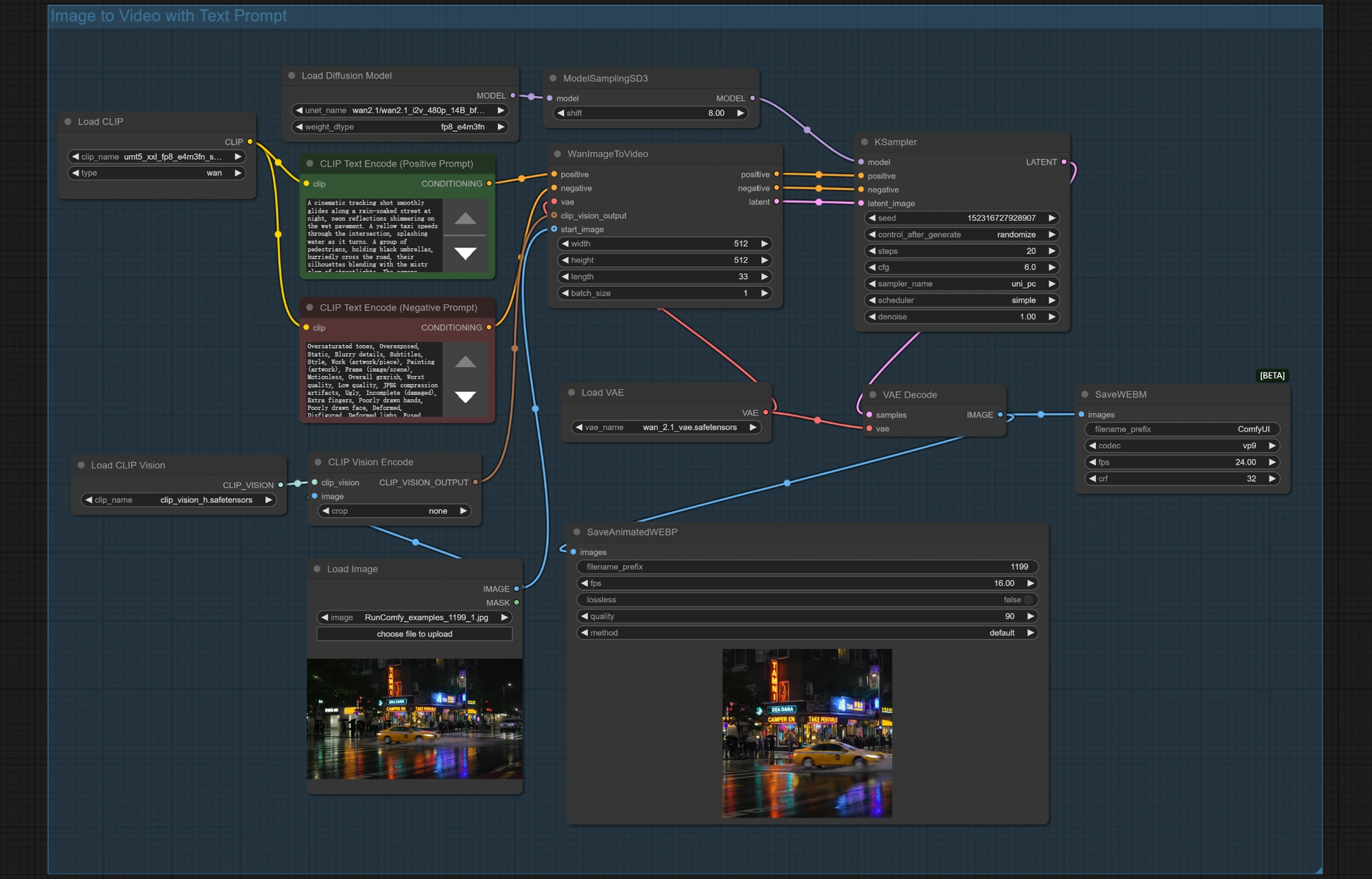
3. Generate scene by scene, not all at once.
Generate one shot, review it, then generate the next — carrying continuity notes (character position, lighting, time of day) forward into each new prompt. Neither model reads a full script or document as input; every shot needs its own explicit prompt (alibaba/wan-3.0-t2v/i2v/ref2v, bytedance/seedance-2.5-t2v/i2v/ref2v).
4. Choose the model per shot, not per project.
Seedance 2.5 (bytedance/seedance-2.5-*) generates 4-30 second clips at up to 720p — a solid default for dialogue and character-focused shots. Wan 3.0 (alibaba/wan-3.0-*) runs 2-30 second clips at up to 1080p with six aspect ratios, which matters for establishing shots or anything destined for a widescreen cut. Neither offers 4K.
5. Assemble and edit last.
Once every shot is generated, cut them together in a standard video editor — trim for pacing, add music, and smooth transitions between shots that came from different models or generations.
Common Mistakes
- Skipping the shot list. Jumping straight to prompting produces disconnected clips with no visual continuity.
- Assuming either model accepts a script file. Both are prompt-driven, shot by shot — there's no document-to-video input on any Seedance 2.5 or Wan 3.0 endpoint.
- Sticking to one model for the whole film. Matching Seedance 2.5 for character shots and Wan 3.0 for wide/establishing shots at 1080p usually reads better than forcing one model to do everything.
Use Cases
This pipeline fits original animated shorts, narrative trailers, and multi-scene brand pieces — anywhere the deliverable is a finished cut rather than a single clip. For fan-edit specific workflows (recutting existing IP rather than building original scenes), see Seedance 2.5 vs MiniMax H3 for fan edits and the costume-drama fan-edit guide instead — those cover a related but distinct workflow.
Developer Notes
Both model families sit behind one Siray API key with normalized responses, so a production pipeline can call seedance-2.5-t2v for one shot and wan-3.0-i2v for the next without switching SDKs or re-authenticating between requests.
FAQ
Can I feed a full script into Wan 3.0 or Seedance 2.5 and get a finished film?
No — both are prompt-driven per shot. There's no document-to-video capability on either model's endpoints.
Which model should I use for wide establishing shots?
Wan 3.0, since it reaches 1080p with six aspect-ratio options versus Seedance 2.5's 720p ceiling.
How is this different from the Wan 3.0 short-form video guide?
That guide covers single-clip camera and narrative prompting; this guide covers the full script-to-finished-cut pipeline across many clips.
Summary
A short film isn't one big generation — it's a script, a shot list, and a sequence of individually prompted clips from the right model for each shot. Create your free Siray account and start building your first scene list.