
AI Wedding Photo Animation: First and Last Frame Control

Key Takeaways
- Five general-purpose image-to-video endpoints accept an end_image field, so you supply the first frame and the last frame and the model fills the motion between them.
- Newer is not always higher: bytedance/seedance-2.0-i2v reaches 4k, while the later seedance-2.5-i2v caps at 720p. Both accept an end frame.
- LTX 2.3 is the only family with camera_lora, an eight-value enum that names the camera move instead of leaving it to prose.
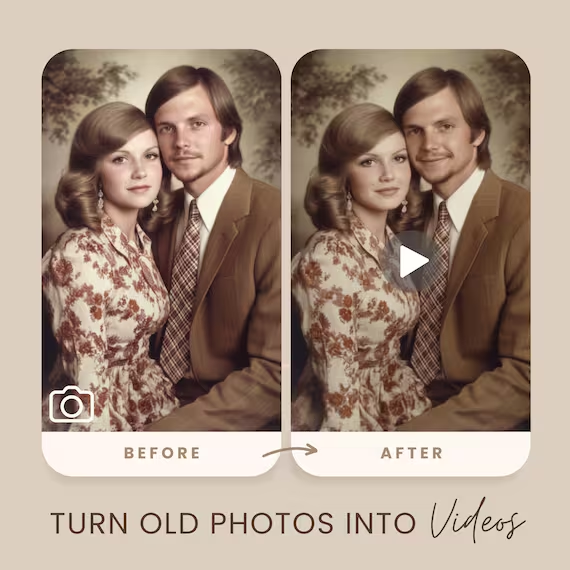
Two Photos You Already Have
Event photographers do not shoot one frame. They shoot the vow and the reaction two seconds later, the ring going on and the hands after. Standard image-to-video takes one of those and invents the rest, which is why the clip drifts somewhere you did not ask for.
An end_image changes the job. You give the endpoint a start frame and a target frame, and it interpolates a path between them. The couple ends up where your second photograph says they end up, not where the sampler wandered.
Which Endpoints Accept an End Frame
Read on August 11, 2026 from the request schemas at docs.siray.ai/api-reference/openapi-spec/, endpoint by endpoint. Adult-tier variants, and any endpoint in retirement, are out of scope here.
Endpoint | end_image | duration | size |
lightricks/ltx-2.3-22b-i2v | yes | 6–20, even | 720p, 1080p |
bytedance/seedance-2.5-i2v | yes | 4–30 | 480p, 720p |
bytedance/seedance-2.0-i2v | yes | 4–15 | 480p, 720p, 1080p, 4k |
bytedance/seedance-2.0-fast-i2v | yes | 4–15 | 480p, 720p |
kuaishou/kling-3.0-i2v | yes | 3–15 | no size field |
minimax/minimax-h3-i2v | no | 5–15 | 2k |
black-forest-labs/flux-3-i2v | no | 5–20 | 720p, 1080p |
Note the generation flip. Seedance 2.0 offers 1080p and 4k; the newer 2.5 stops at 720p but stretches duration to 30 seconds. For a 4K first-dance clip with a fixed final frame, 2.0 is currently the only endpoint that does it.
Naming the Camera Move Instead of Describing It
Everywhere else, "slow push in on the couple" is a sentence you hope lands. On lightricks/ltx-2.3-22b-t2v and -22b-i2v it is an enum value.
camera_lora | The move |
dolly_in, dolly_out | push toward or pull away from the subject |
dolly_left, dolly_right | track sideways across the scene |
jib_up, jib_down | crane rising or descending |
static, none | locked frame, or no camera LoRA at all |
camera_lora_scale takes 0 to 1 and defaults to 1, so you dial the move down rather than rewriting the prompt.
Running an Event Batch
A workable default for a wedding gallery: ltx-2.3-22b-i2v, size 720p, fps 24, duration 8, camera_lora dolly_in, camera_lora_scale around 0.6, end_image set to the next photo in the sequence. That config bills at $0.0391 per second, so an eight-second clip is about $0.31 and a thirty-clip gallery lands near $9.40. Other endpoints price differently — see the video model pricing guide.
Shoot vertical deliverables at aspect_ratio 9:16 on the same call rather than cropping later.
FAQ
Can I animate two wedding photos into a single video?
Yes. Pass the first photo as the image and the second as end_image. Five general-purpose endpoints accept the field today: LTX 2.3 22B i2v, Seedance 2.5 i2v, Seedance 2.0 i2v, Seedance 2.0 Fast i2v and Kling 3.0 i2v.
Which endpoint gives me 4K with a fixed last frame?
Only bytedance/seedance-2.0-i2v. Its size enum includes 4k, while the newer Seedance 2.5 i2v tops out at 720p even though it also accepts an end frame.
How do I control the camera move rather than describing it?
Use camera_lora on LTX 2.3, which takes dolly_in, dolly_out, dolly_left, dolly_right, jib_up, jib_down, static or none, with camera_lora_scale from 0 to 1. No other endpoint offers a camera enum.
Summary
Two photographs and one field turn a guess into a shot. end_image exists on five general-purpose endpoints, 4K with an end frame exists on exactly one, and a named camera move exists only on LTX 2.3. Check the request schema for the endpoint you are calling before you build a workflow around either field.
Get Started
Create your free Siray account and reach every endpoint above with one key — one API for multiple AI models covers the setup.