
AI Roleplay Character Avatars for SillyTavern & Character Cards

Key Takeaways
- Character-card platforms like SillyTavern need one consistent portrait per character, but regenerating a look from scratch for every new pose or scene usually breaks that consistency.
- Hunyuan Image 3 Instruct's Multi-Image Fusion can hold a character's look steady across new generations by feeding earlier portraits back in as references — not a guaranteed identity lock, but a real improvement over starting from zero each time.
- Siray generates the image only. It doesn't provide chat, persona dialogue, or a roleplay engine — the finished portrait gets uploaded into whatever character-card tool the user is already running.
The character-card avatar problem
A character card is mostly text — a persona, a backstory, a set of traits — plus one image that anchors all of it. That image matters more than it might seem: it's the first thing a reader sees, and it needs to actually match the character described in the card. The usual options are rough. Searching for a matching image online is a legal grey area and rarely fits the specific character anyway. Generating a one-off portrait works for the first image, but the moment a card needs a second pose or a different scene, most text-to-image tools regenerate from scratch — and the character's face, proportions, and styling drift.
What Multi-Image Fusion actually does here
Hunyuan Image 3 Instruct's Multi-Image Fusion takes up to three reference images and combines their elements into a new generation. For a character card, that means feeding in one or two earlier portraits of the same character alongside a new prompt describing a different pose, expression, or setting — the output holds the character's established look while changing what the new prompt asks for.
Worth being precise about what this is and isn't. It's a general multi-image combination feature, not a dedicated identity-lock tool — it doesn't guarantee pixel-perfect facial consistency the way a purpose-built tool like InstantID does. In practice, consistency depends on picking good reference images and writing prompts that describe what should change without contradicting what should stay the same. It's a meaningfully better starting point than a blank prompt, not a one-click identity switch. For a deeper walkthrough of this specific capability, see Hunyuan Image 3 Instruct Multi-Image Fusion; readers who'd rather hold a character's look steady on Z-Image instead can see Z-Image NSFW Character Consistency.
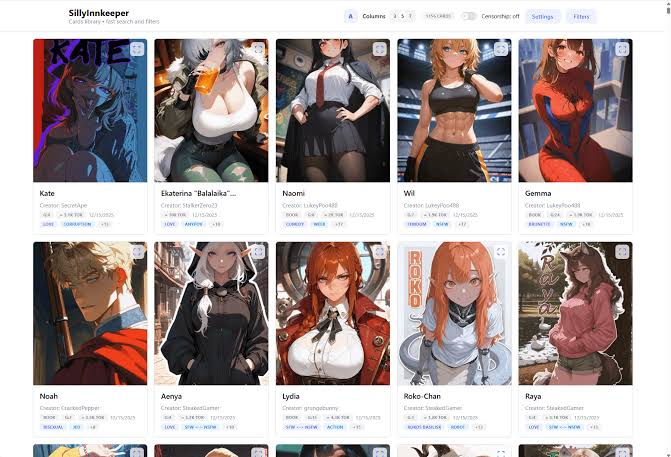
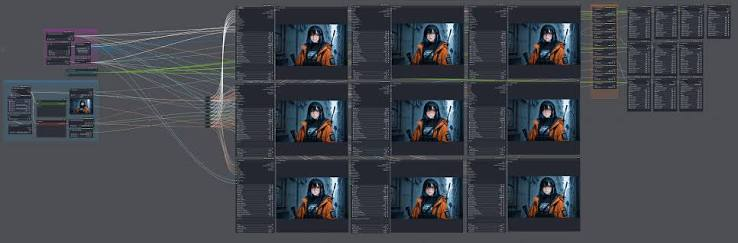
Building the workflow: base portrait, then fusion
Base portrait — describe the character clearly and specifically: build, hair, distinguishing features, and a clean, front-facing composition that works well as a reference image later. A cluttered background or extreme angle in the base portrait makes later fusion attempts harder.
Fusion/extension prompt — reference the base portrait (and a second image if the character has an established alternate look), then describe only what should change: a new pose, a different outfit, a new setting. Leaving the character description implicit and letting the reference images carry it tends to hold consistency better than re-describing the whole character from scratch each time.
What this is — and what it isn't
To be explicit: this is an image-generation workflow, not a chat product. Siray generates the portrait; it does not power dialogue, persona behavior, or the roleplay conversation itself. The finished image gets downloaded and uploaded into whatever character-card tool — SillyTavern or otherwise — the reader is already using. Nothing here is a companion app, and nothing here replaces the conversational side of that ecosystem.
Create your free Siray account and build a consistent character portrait with Hunyuan Image 3 Instruct now.
Compliance Statement: Siray strictly prohibits all illegal content, with zero tolerance for CSAM. All character portraits generated through Siray must depict legal adult (18+) individuals only — this applies to every character card, persona, or roleplay avatar created with this workflow. "Uncensored" means no content moderation beyond what the law requires — it never means permission for illegal content of any kind.