
Tattoo Try-On: Preview a Design on the Client Photo

Every tattoo artist gets the same question before a booking: what will it look like on me? A line drawing does not answer it. Clients cannot read a flat design onto their own skin tone, body shape, and the specific spot they have in mind — so the conversation stalls, or the booking does. The usual fix is a manual Photoshop composite with masks, warps, and layers, which costs more time than most consultations are worth.
alibaba/qwen-image-3-edit does the same job by instruction. There is no mask to draw.
Key Takeaways
- alibaba/qwen-image-3-edit takes 1 to 3 input images, so a client photo and a design file go in the same request.
- The endpoint has no mask field. Placement is described in the prompt instead of selected by hand.
- n accepts 1 to 6, which turns one call into six placement options at $0.030 per output image.
- There is no strength parameter, so how hard the design blends is not a dial — it has to come from prompt wording.
What the Endpoint Needs
Five fields are required: model, prompt, images, aspect_ratio, and size. The images array takes a minimum of one and a maximum of three entries, which is the practical budget for this workflow: the client photo, the design file, and optionally one placement reference. size accepts 1k or 2k, and aspect_ratio covers 15 values, so the output frame gets chosen per request rather than inherited from the input.
seed runs from -1 through 2147483647. Hold it fixed while iterating on wording so that changes in the result come from the prompt and not from a fresh roll.
Placing the Design Without a Mask
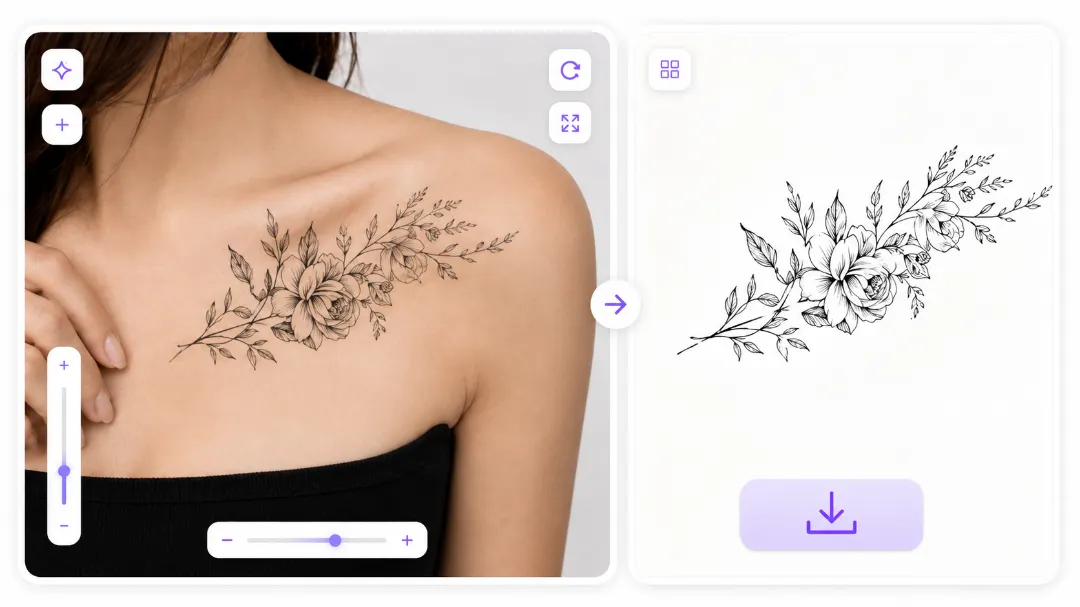
Most editing workflows start by selecting a region. This endpoint has no mask field, so the region is described. That sounds less precise and is faster in practice, because the description also carries orientation and scale, which a mask would not.
A placement instruction works best when it names three things: the body location, the size relative to a body landmark, and the orientation.
place the design from the second image on the subject's right forearm, running from wrist to elbow, about the width of the forearm, oriented lengthwise along the arm
Vague placement is where this breaks. "On the arm" leaves the model to choose the arm, side, height, and size, and it will choose differently every run. Naming a landmark on both ends — wrist to elbow, shoulder blade to spine, ankle to mid-calf — pins it down.
Making It Sit on Skin
A design pasted flat reads as a sticker. What makes a preview convincing is that the artwork follows the body underneath it, and since the endpoint has no negative_prompt field, that cannot be requested by excluding "flat" or "sticker-like". It has to be described positively.Three things are worth stating outright:
- Curvature — the design wraps around the curve of the forearm, edges compressing slightly at the sides
- Skin behaviour — ink follows the skin texture and slight creases at the elbow
- Tone — ink reads dark grey-black on this skin tone, not pure black
That last one matters more than it sounds. Clients with deeper skin tones are routinely shown previews in flat black, which is not how the healed result looks — the preview loses credibility exactly when it needs to hold up.
Giving the Client Options
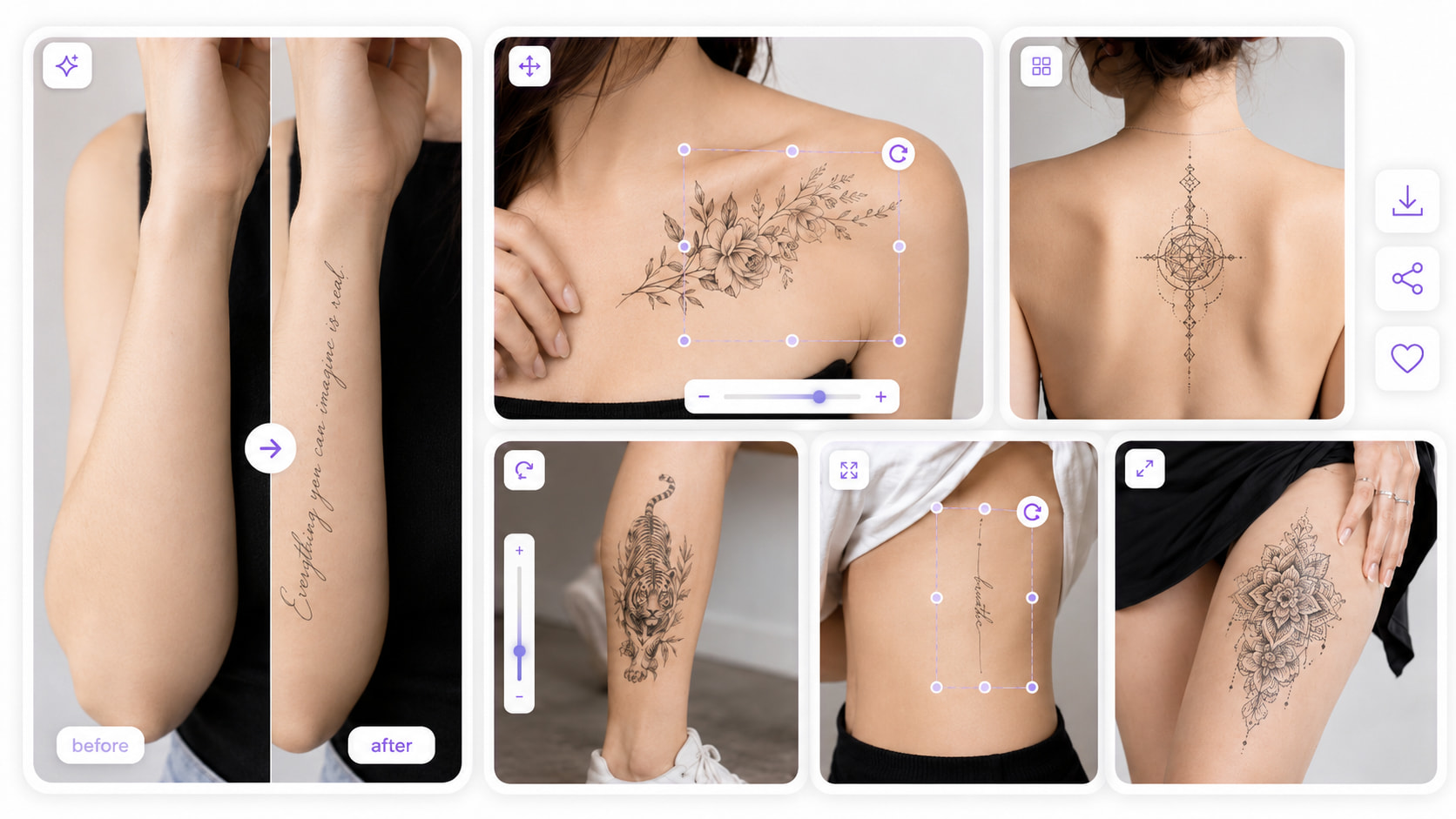
n accepts 1 to 6. One request returns six variants — forearm versus upper arm, two sizes, two orientations — and a consultation moves faster when the client picks from options instead of describing what they imagine. At $0.030 per output image, a six-option sheet costs $0.18.
The instruction-based approach in the Qwen Image 3 Edit API prompt guide applies directly here, and the same endpoint handles product compositing, compared against an alternative in Qwen Image 3 Edit versus Flux Kontext. Background on the family is in Qwen Image 3.0 explained.
Where It Falls Short
Three limits are worth knowing before promising a client anything.
There is no strength parameter, so blend intensity is not adjustable after the fact — a result that looks too embedded or too pasted-on has to be re-prompted rather than dialled back. The images array caps at three, so this is not a workflow for feeding in a batch of reference photos. And prompt_expansion_enable defaults to true, which will rewrite a carefully worded placement instruction; set it to false for this kind of work.
Create your free Siray account and start generating tattoo previews with Qwen Image 3 Edit through one API key.