
Wan 2.7 Image Spicy NSFW Prompt Guide: Uncensored 2026

Most NSFW prompting advice assumes two fields: a positive prompt and a negative_prompt. On Wan 2.7 Image Spicy you have one. None of the four endpoints (alibaba/wan-2.7-image-{t2i,i2i}-spicy and their -pro- counterparts, live on Siray as of October 8, 2026) accept negative_prompt — the opposite of the Wan 2.7 video family, where negative_prompt still matters. This guide covers the image side: where the exclusions go now.
Key TakeawaysThere is nonegative_prompton Wan 2.7 Image Spicy. Everything you want excluded goes into the positive prompt as a descriptive phrase.prompt_expansion_enabledefaults totrue, so the model rewrites your prompt before generating unless you set itfalse. Pin itfalsewhen the exact wording matters.color_paletteandbbox_listare the two fields that give you control the missing negative field would have given you.aspect_ratioaccepts 15 values, and framing has to be rewritten for each one rather than cropped.ngenerates up to 12 images per call at $0.03 each on the standard t2i endpoint, so variance testing is cheap.
The Prompt Skeleton
Five parts, in this order: subject, pose and action, camera and lighting, material and texture, exclusions. The first four are familiar; the fifth is where this endpoint differs.
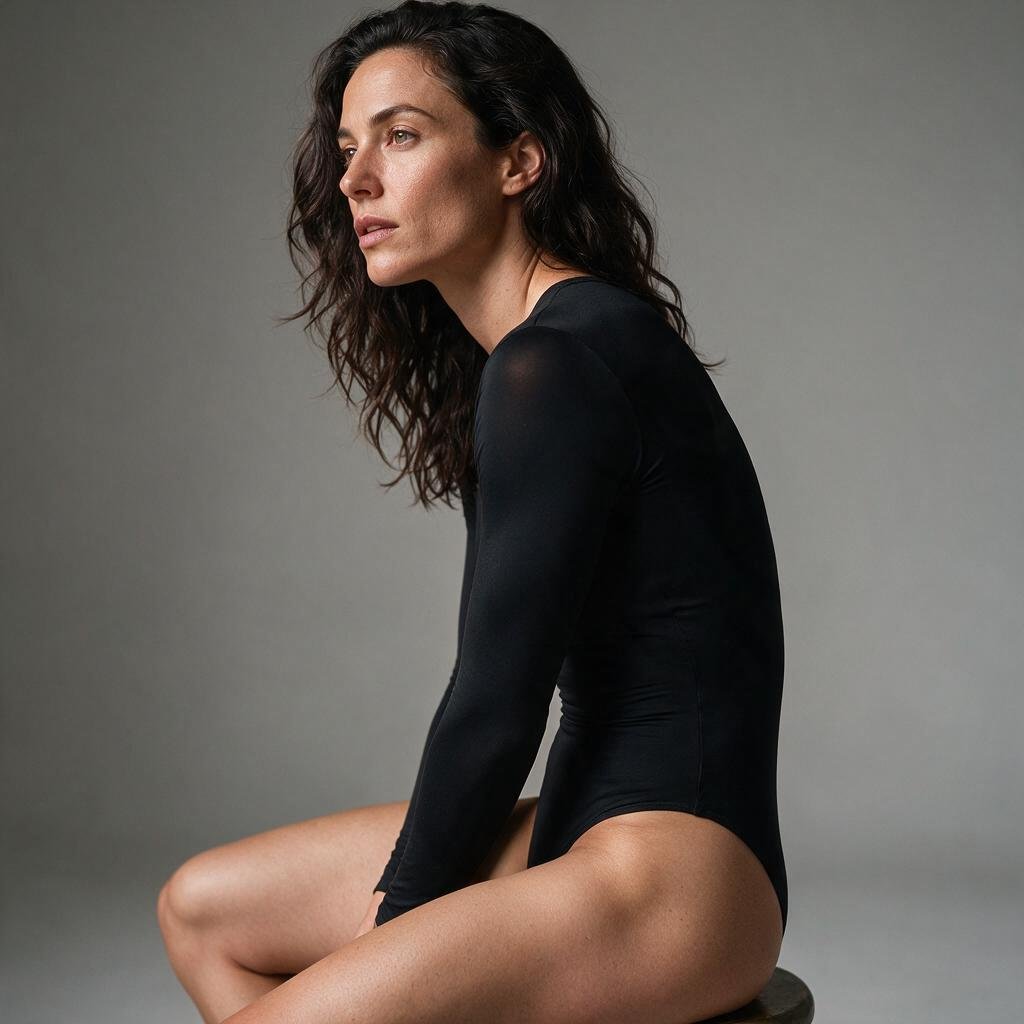
A worked example, kept deliberately clinical:
subject:  adult woman, late 20s, dark wavy hair, athletic build
pose:     seated on the edge of a low stool, weight on one hip, looking off-frame left
camera:   85mm lens, shallow depth of field, soft key light at 45 degrees, neutral grey studio backdrop
material: matte black bodysuit, fabric tension across the shoulder, natural skin texture with visible pores
exclude:  no text overlays, no watermark, clean background, single subject, no additional people in frame
Notice the fifth line. "No text overlays" is a negative instruction written as a positive phrase — the whole technique. Wan 2.7 Image Spicy reads the sentence, so the exclusion must be a sentence it can read.
Where Exclusions Go Now
Three habits carry over from negative-prompt workflows, and two of them have to change.
Keep: state what you want positively. "Clean background, single subject" beats "no clutter," because it names something the model can build rather than something it must avoid.
Change: stop writing "without" lists as an afterthought. With a negative field, exclusions sit apart from the scene description; here they share one prompt, so a long list dilutes the subject description in the same token budget. Keep exclusions to four or five clauses.
Change: don't rely on the rewrite step to understand intent. If a phrase must survive exactly — a wardrobe term, a body type, a lighting direction — it depends on the model reading it literally, with no second field as a net.
prompt_expansion_enable Decides Who Writes Your Prompt
This field defaults to true, so the model expands your prompt before generating. Useful when you're sketching; a liability when you've written a precise five-part skeleton, because the expansion can add back elements you deliberately excluded — and here you have no negative field to counteract it.
Set prompt_expansion_enable: false whenever the wording is the point. The trade-off is real: the model expands less, so your prompt carries more detail. For NSFW work, where a good frame and a refused one can differ by a single clause, that trade is usually worth taking.
Two Positive Controls That Replace Negative Ones
color_palette takes an array of {hex, ratio} objects and pins the color theme. Instead of "no neon lighting," name the palette you want: #2B2B2B at ratio 0.6, #C7A17A at 0.2. That removes unwanted lighting by occupying the space it would fill.
bbox_list takes nested [x1, y1, x2, y2] boxes marking edit regions, aligned to the input images — an i2i field. On alibaba/wan-2.7-image-i2i-spicy it confines a change to one region instead of re-rendering the whole frame. Nothing outside the box gets rewritten.
Working Across the 15 Ratios
aspect_ratio accepts 1:1, 1:2, 2:1, 1:3, 3:1, 2:3, 3:2, 3:4, 4:3, 4:5, 5:4, 9:16, 16:9, 9:21, and 21:9. The tall and wide extremes — 1:3, 3:1, 9:21, 21:9 — are rare on image models and are what a banner or full-body vertical composition needs.
Framing is written for the ratio, not cropped into it. A 4:5 prompt describing a seated figure gives a different composition at 3:1 than at 9:16, because the model generates into the frame rather than cutting it down. Write the composition and let the ratio hold it.
n runs 1 to 12 outputs per call, default 1, billed per image. Twelve on the standard t2i endpoint is $0.36 — the cheapest way to test one prompt across ratios and seeds. For another prompt approach on a sibling NSFW endpoint, see the Z-Image Spicy Pro NSFW prompt guide; for a stricter multi-subject structure, see Seedream 5 Pro Spicy NSFW prompts.
Cost
One twelve-image batch costs $0.36 on alibaba/wan-2.7-image-t2i-spicy and $0.90 on alibaba/wan-2.7-image-pro-t2i-spicy. The tiers have identical request schemas, so prompt technique transfers unchanged — the price difference buys the model, not the fields. Alibaba's Qwen Image 3 Pro Spicy sits between them at $0.035 and $0.046 per image.
Create your free Siray account and run your first twelve-image prompt test on Wan 2.7 Image Spicy.
A Note on Compliance
Siray's NSFW and uncensored models generate legal, consensual adult content for verified adults only. CSAM and any other illegal content are refused with zero tolerance. Wan 2.7 Image Spicy is a third-party model from Alibaba available through Siray's API, not a Siray-hosted model, and the same standard applies to everything generated with it.