
Z-Image NSFW Lighting and Skin Texture Prompt Control

Z-Image's request body has four fields: model, prompt, size, and an optional seed. There is no negative_prompt. There is no edit endpoint either — alibaba/z-image-turbo-t2i is text-to-image only, so you cannot load a reference photo. Every bit of control over light and skin has to be a positive phrase inside prompt. The upside is the price: at $0.004 per image, fifty phrasings cost twenty cents, which beats hunting for one perfect prompt.
Key Takeaways
- No negative_prompt exists here, so "avoid plastic skin" lists do nothing. Write the positive phrase that displaces the problem.
- Maximum side is 1024 px, so skin detail has a real ceiling.
- seed is present, so a look you like re-rolls with one word changed.
What You Actually Control
Field | Required | Notes |
model | yes | alibaba/z-image-turbo-t2i |
prompt | yes | the only lever for light and skin |
size | yes | maximum side 1024 px |
seed | no | present, unlike the Seedream family |
There is no negative_prompt, no n, no strength, and no moderation dial. Z-Image has no native face swap either, so nothing here transfers an identity — consistency is a prompt habit plus a fixed seed, not a feature.
Light Direction
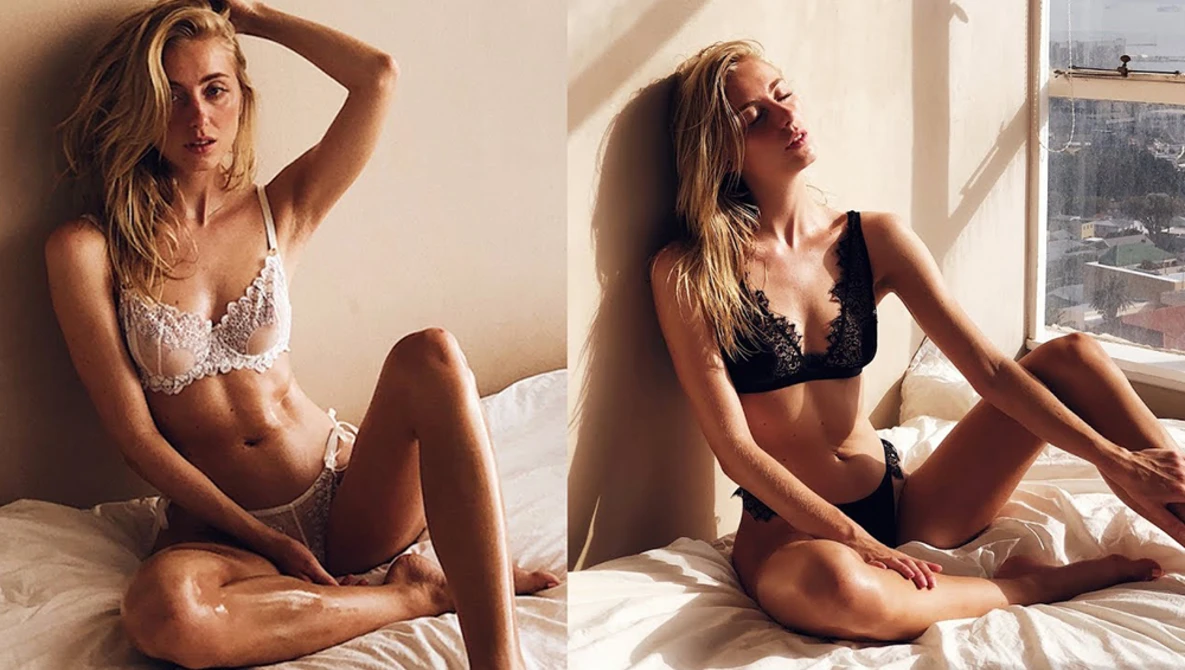
Direction is the highest-leverage thing you can name: it decides where the body has contrast.
- side light from camera left, strong falloff across the ribs
- rim light from behind, thin bright edge along the shoulder and hip
- soft light from above and slightly front, gentle shadow under the collarbone
- low light from below the frame, upward shadows on the neck and jaw
Name one primary direction and at most one secondary. Three light sources in one prompt average out into flat illumination.
Light Quality
Direction decides where the contrast is; quality decides how hard its edges are. Most NSFW prompts stop before this, and it is the difference between a snapshot and a photograph.
- hard direct light, crisp shadow edges, deep blacks
- soft diffused light through a large source, shadow edges falling off gradually
- warm practical lamp just out of frame, light pooling on one side
- overcast window light, low contrast, even across the skin
Pair a direction with a quality every time. side light from camera left plus soft diffused is a different image from the same direction plus hard direct.
Skin Texture
The 1024 px ceiling bites here, so be precise about scale. Pores at full-body framing waste the request; in a tight crop they work.
- visible skin pores, fine surface texture, no smoothing
- natural sheen on the shoulders, matte across the cheeks
- subsurface scattering where the light passes through the ear and fingers
- fine downy hair catching the rim light
- light moisture on the skin, small specular highlights
The two that do the most work: no smoothing and the sheen-versus-matte split. Real skin is not uniformly glossy, and naming which areas are which breaks the airbrushed look.
What to Write Instead of a Negative Prompt
Reaching for a negative prompt is the common reflex, and on this endpoint it is inert. Each problem has a positive phrase that displaces it.
Instead of excluding | Write |
plastic or waxy skin | visible skin pores, fine surface texture, no smoothing |
oily or over-shiny skin | matte skin with sheen only on the shoulders and collarbone |
flat, sourceless lighting | single source from camera left, visible falloff |
blown-out highlights | highlights retained, detail held in the brightest areas |
muddy shadows | open shadows with detail, deep but not crushed blacks |
The pattern: describe the state you want to exist, not the state you want gone. Qwen Image 3 and the whole Seedream family do not expose the field either.
seed, Repeatability, and the 1024 Ceiling
seed makes disciplined iteration possible: hold it, change one clause, and you see what that clause did rather than what a new roll did.
What it does not give you is identity. A fixed seed holds a composition and a look, not a person across different prompts; Z-Image NSFW character consistency covers the habits that work. For skin detail beyond 1024 px, Seedream 4.5 Spicy consistent skin tones and lighting is the higher-resolution route — different field set, so different technique.
Iterating at $0.004 an Image
Z-Image is priced at 20% off $0.004 per output image, the lowest in Siray's catalog. That is a promotional rate, not a fixed one, so re-check before a large batch.
Write one base prompt, then sweep a single variable. Four directions times four qualities is sixteen images for seven cents; keep the two that worked and sweep texture next. There is no n field, so batching is a client-side loop — Z-Image bulk generation has the pattern. For subject, pose and framing vocabulary, start at the Z-Image NSFW prompt guide; for illustrated styles, the anime style guide.
Generate with Z-Image now — available on Siray.ai at the lowest per-image cost in the catalog, with faster generation than the premium paid tools.
Create your free Siray account and sweep one lighting variable tonight.
A Note on Compliance
Siray refuses all illegal content, and CSAM is refused with zero tolerance — there is no exception, no configuration, and no context in which it is permitted. Everything described in this article is for the creation of lawful adult content involving consenting adults. "Uncensored" on Siray means an endpoint does not apply excess moderation within legal limits; it does not mean the absence of limits. Moderation across the catalog is not a two-way switch — endpoints sit anywhere from strict to light, and light is not the same as none. Z-Image is a third-party model available through Siray's API, not a Siray-hosted model.