
From Z-Image Still to LTX 2.3 Video: An Uncensored Image-to-Video Pipeline

Locking a consistent still and animating it are usually taught as two separate skills — a consistency method for the image . The part that actually breaks people's output is the handoff in between: writing an i2v prompt that doesn't quietly contradict the still it's supposed to animate. This is that handoff, step by step.
TL;DR
- Step 1: lock a Z-Image still with a reusable description block and concrete face anchors.
- Step 2: carry that exact language into the LTX 2.3 i2v prompt as a PRESERVE clause, then add a MOTION clause for what should move.
- Both steps run on live Siray endpoints — z-image-turbo-t2i and LTX 2.3 i2v (720p/1080p, 24-30fps, 6-20s, no native audio).
- No extend or retake on Siray's LTX 2.3 endpoint — a bad clip means regenerating it, not patching it.
Step 1 — Lock the still with Z-Image
Z-Image (z-image-turbo-t2i) is text-to-image only — no native face swap, no video output. Consistency across generations comes from a prompting discipline, not a toggle: write one subject-description block with concrete face anchors ("soft round jaw, medium bridge, slightly wide-set almond eyes") instead of vague adjectives, paste it unchanged into every generation, and use seed lock or reference anchoring where the endpoint supports it. The full teardown of this method covers all four levers in depth. What matters for this pipeline is narrower: whatever description locks the still is the exact text that has to survive into step 2.
Step 2 — Carry the lock into the i2v prompt
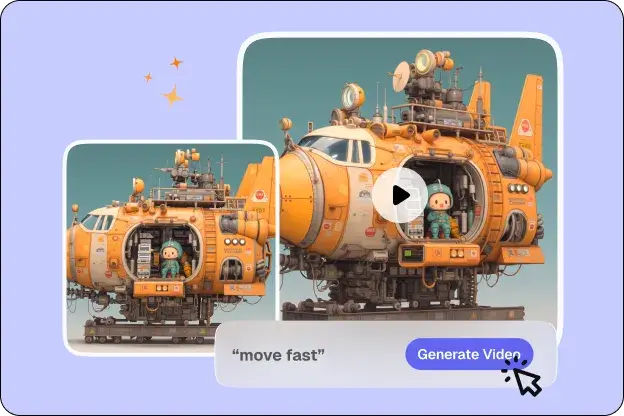
This is the part that isn't covered elsewhere. Copy the still's locked description into the LTX 2.3 i2v prompt as a PRESERVE clause, then add a separate MOTION clause describing only the new movement:
PRESERVE: soft round jaw, medium bridge, slightly wide-set almond eyes,same hairstyle and wardrobe as the reference still, same background.MOTION: slow turn of the head toward camera, hair shifting with the movement.The failure mode this avoids: writing an i2v prompt purely in motion terms ("she turns and smiles") without restating the identity anchors, which gives the model room to drift the face or wardrobe mid-clip. Restating the PRESERVE clause every time is the whole trick — it costs a few extra words and removes most of the drift.
What the pipeline can't do
LTX 2.3's Siray endpoint is i2v (and t2v), not a general editor: 720p/1080p, 24 or 30fps, clips from 6 to 20 seconds, no native audio. There's no extend-video or retake-video — a clip that drifts or doesn't match the still gets regenerated in full, not patched. If the still itself is the problem, fix it at step 1 and re-run step 2, rather than trying to correct it inside the video step.
When this pipeline fits
This is a single reusable technique for animating one locked still into one clip — a persona shot, a single scene, a standalone piece. If the goal is a longer narrative built across multiple outfits and shots, the multi-model roleplay workflow covers that larger production process, of which this two-step handoff is one component.
Key Takeaways
- The gap between a consistency guide and an i2v guide is the handoff — restate the still's locked description inside the i2v prompt.
- PRESERVE clause first, MOTION clause second, every time.
- No extend/retake on Siray's LTX 2.3 endpoint — regenerate instead of patch.
- This is one technique, not a multi-shot production workflow — see the roleplay piece for that.
FAQ
Do I need to regenerate the still if the video doesn't match?
If the clip drifts from the still's identity or wardrobe, check the i2v prompt first — a missing or incomplete PRESERVE clause is the most common cause. If the still itself is inconsistent, fix it at the Z-Image step and re-animate from the corrected version.
Can I get a longer or higher-resolution clip?
Not on Siray's current LTX 2.3 endpoint — it caps at 1080p, 6-20 seconds, and doesn't support extend-video. A longer piece means multiple separate clips, not one extended one.
Ready to try it? Register at Siray, lock a still with Z-Image, then animate it with LTX 2.3 using the PRESERVE/MOTION structure above.
NSFW compliance: Siray enforces zero tolerance for content depicting minors in any form, including stylized or fictional depictions. All NSFW generation requires user attestation of adult status and consent, and is subject to ongoing moderation review.